Running accounts7 min read
How to Warm Up a WhatsApp Number (and What It Cannot Do)
Written by Petr Kynčl
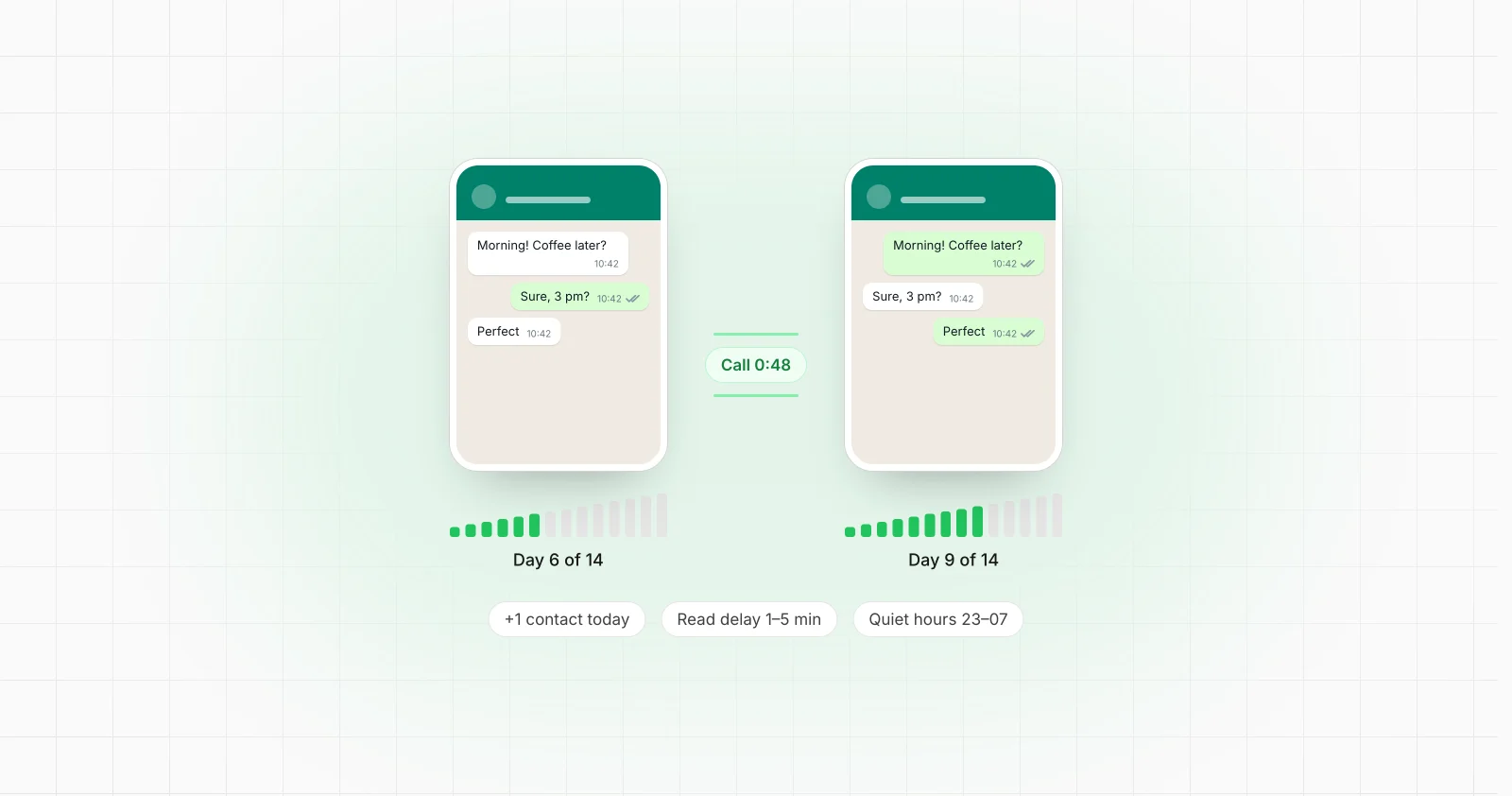
A WhatsApp number that is a day old and sends fifty messages to strangers looks like exactly what it is. Warming up a number means doing the opposite for a while: letting it behave like a person who just got a new phone, with a few conversations that go both ways, a slowly growing list of contacts and quiet nights, before it is asked to do real work.
Two things are worth saying before the method.
Warm-up lowers the risk of a restriction. It does not remove it. No schedule makes a number safe from a ban, and a warmed-up number that then sends unsolicited bulk messages will be restricted just like a new one.
WhatsApp does not publish its thresholds. There is no official number of messages per day that is safe on day three. Anyone quoting exact limits is guessing, so treat every number in this guide as a starting point to adjust, not a rule.
Why new numbers get restricted
WhatsApp does not explain its detection, but what it says it acts on, and what people consistently report, falls into a few groups:
- Unofficial or modified apps. Clients such as GB WhatsApp or WhatsApp Plus are against WhatsApp's terms and are a common reason for bans on their own.
- Bulk and automated messaging. The same message to many people in a short time, especially from software that sends faster than a person could type.
- Messages to people who do not know you. Recipients who have never saved the number, and never replied, are a strong signal that a message is unwanted.
- Blocks and reports. A burst of people blocking or reporting a number is one of the fastest ways to lose it.
A brand new number has no history to balance any of this. Warm-up builds that history.
Before you start
Set the number up so nothing about it looks unusual from the first day.
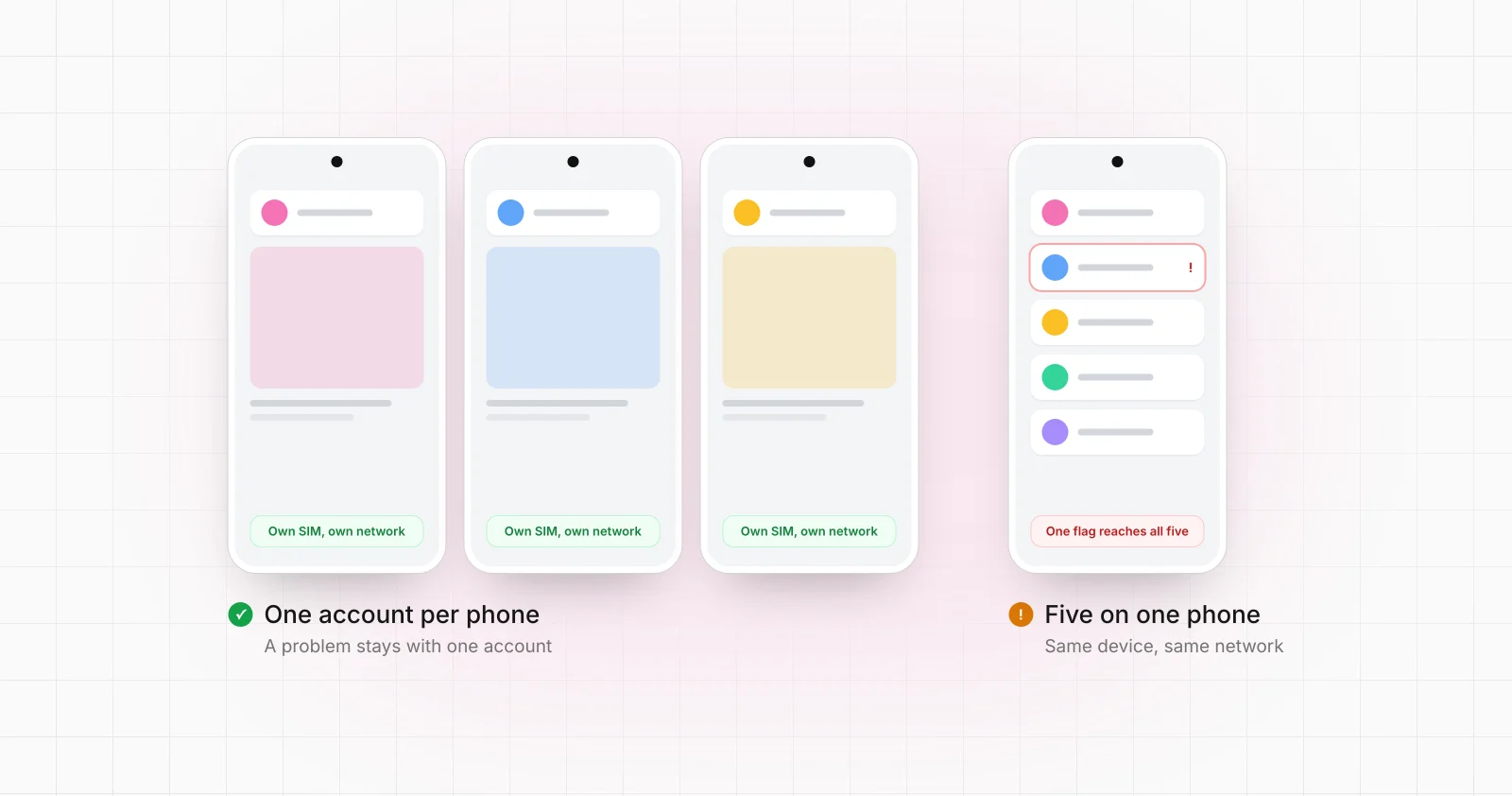
- A real SIM, one number per phone. Give each number its own Android phone, whether a handset, a box phone or a cloud phone. Several numbers sharing one device, or one number moving between devices, is harder to keep clean.
- The official app. WhatsApp or WhatsApp Business from the store, kept up to date. Never a modified client.
- A finished profile. A name, a profile photo and an About line. Empty profiles look like throwaway accounts.
- Two-step verification. Set a PIN. It protects the number and is something a real owner would do.
- A stable network. Each phone on its own connection or proxy, and not changing country from one day to the next.
- Saved contacts. Save the numbers it will talk to, and have them save it back where you can.
A warm-up schedule to start from
Most farms run a warm-up over two to four weeks. The shape matters more than the exact numbers: start with conversations that go both ways, add new contacts slowly, and let outgoing volume follow, not lead.
Days 1 to 3: settle in. Open the app a few times a day. Exchange a handful of messages with numbers you control, and let those numbers write first as often as yours does. Read messages after a short delay rather than instantly. Nothing at night.
Days 4 to 7: real conversations. Add one or two new saved contacts a day. Send and receive photos and voice notes, not only text. Make or answer a short call. Join a group with people the number knows.
Week 2: widen the circle. Keep adding a contact or two a day. Let conversations run longer. Start the kind of messages the number will eventually send, but only to contacts who will reply.
Weeks 3 and 4: ramp the real work. Begin the actual job at a fraction of the target volume and raise it gradually, a little each day. Keep a share of the traffic two-way. If anything looks wrong, go back a step rather than pushing on.
Throughout, keep each number on a daily cap and quiet hours that match its time zone, and never jump volume from one day to the next.
Behaviour that looks like a person
Warm-up is mostly about the small habits that separate a person from a script:
- Read and reply delays of seconds to minutes, different every time.
- Typing time that matches the length of the message.
- Irregular timing. Not every message on the minute, not every day at the same hour.
- Two-way traffic. Replies, questions answered, conversations rather than broadcasts.
- Variety. Text, photos, voice notes, the odd call, reactions.
- Rest. Quiet hours, and days with less activity than others.
What gets numbers banned anyway
Warm-up cannot protect a number from what it does afterwards. These undo weeks of work quickly:
- Sending the same message to a long list of people who never asked for it.
- Messaging bought or scraped contact lists.
- A link in the very first message to someone new.
- A sudden jump in volume, even on an old number.
- Recipients blocking or reporting the number.
If the job is sending business messages to customers at scale, the WhatsApp Business Platform is the route WhatsApp itself sanctions for it: verified business accounts, approved message templates and customers who opted in. The trade-offs between that and automating the app are covered in the complete guide to WhatsApp automation.
Warming up many numbers at once
The method is the same for ten numbers or a hundred, but doing it by hand stops being realistic quickly. What changes:
- Numbers warm each other up. A group of your own numbers can chat and call each other in pairs, so every number has two-way conversations from the first day without anyone outside the group.
- Every number has its own day. A number on day 3 and a number on day 14 need different caps. Keeping the ramp per number, in one sheet, avoids pushing a young number too hard.
- Watch for the first signs. A number that suddenly cannot send, is asked to verify again, or is logged out should leave rotation at once, before its group's traffic starts landing on numbers that are reporting it.
- One phone per number. It keeps each number's device and network separate, and when something does go wrong you know exactly which one it was.
This is what a WhatsApp phone farm does day to day: numbers warmed up one by one, then sending on command from your own system, each one on its own phone with its own schedule. MationX runs warm-up on your phones or cloud phones with chats and calls between your own numbers, one more contact a day, read delays and quiet hours, and takes a restricted number out of rotation before it drags the rest down. The app that does it on each phone is the MationX Client.
Common questions
How long does it take to warm up a WhatsApp number? There is no official answer. Two to four weeks of gradually increasing, mostly two-way activity is a common starting point, and numbers that will send more need longer.
Can I skip warm-up for an old number? An older number with real history is in a better position than a new one, but the same rule applies: raise volume gradually and keep traffic two-way. A long-quiet number that suddenly sends a lot looks just as unusual.
Is WhatsApp Business better for warm-up than WhatsApp? The Business app adds a business profile, catalogue and quick replies, and it is what most farms use for numbers that will talk to customers. The warm-up itself is the same.
What should I do if a number gets restricted during warm-up? Stop all automated activity on it, take it out of rotation and do not move its traffic to the other numbers. If WhatsApp offers a review, request it. Then look at what the number did in the days before, because the same pattern will catch the next one.
Is automating WhatsApp allowed? WhatsApp's terms restrict automated and bulk messaging through its consumer apps, and the Business Platform is its official route for business messaging. Whatever the setup, messages people expect are what keep numbers alive.
If you want warm-up and sending run for you on your own phones, tell us about your numbers and you get one number for the whole setup within a day.