Building a farm13 min read
Android Device Farms: Real Devices vs Emulators
Written by Petr Kynčl
An Android device farm can mean several different things.
In software testing, it usually means infrastructure that lets developers execute applications or test suites across a collection of Android configurations. Firebase Test Lab exposes both physical and virtual Android devices as test targets. AWS Device Farm focuses on real physical phones and tablets. BrowserStack similarly provides remote real devices for automated application testing. Android itself provides tools for creating and managing fleets of virtual devices for automated tests.
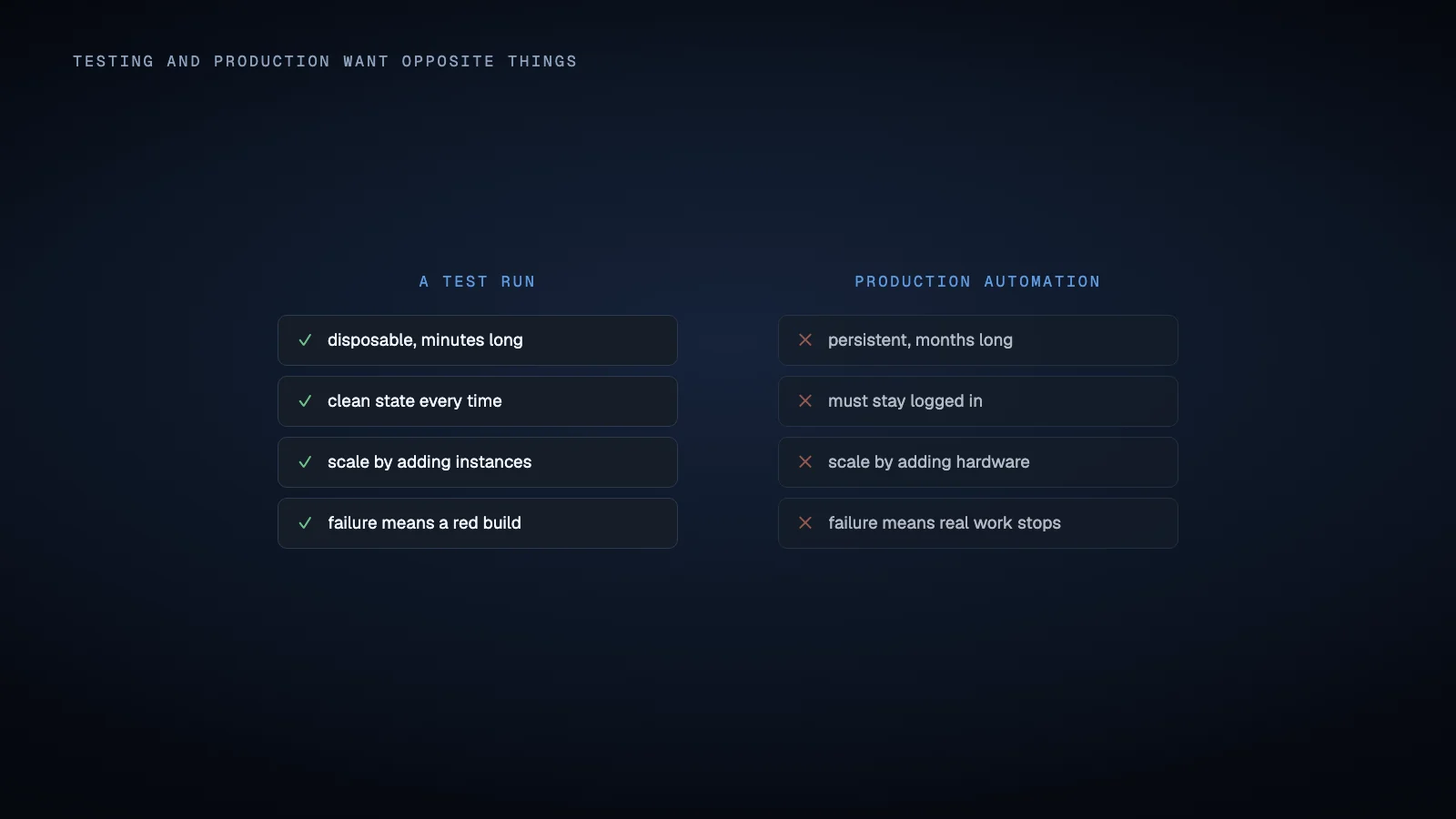
Production Android automation uses many of the same technologies, but the objective is different. Instead of asking whether a build passes a test, the system may need an Android application to remain logged in, receive work from a backend, execute actions, preserve state, report results and recover from failures continuously.
That difference changes the real device versus emulator decision.
An emulator is not automatically unsuitable for production. A real phone is not automatically better. The correct choice depends on what the application actually requires from Android, its hardware and the surrounding network environment.
What an Android emulator actually reproduces
The Android Emulator runs an Android system image inside a virtual device configuration called an Android Virtual Device, or AVD. An AVD defines characteristics such as the Android version, display, storage, cameras and hardware profile.
Google describes the emulator as providing almost all capabilities of a real Android device. Developers can simulate location, sensors, incoming calls, SMS messages and network conditions. Some AVD profiles also contain Google Play services and the Google Play Store.
This is important because an emulator is considerably more complete than a simple mock of an Android interface.
Automation frameworks also do not inherently require physical hardware. Appium's UiAutomator2 documentation explicitly supports both Android emulators and physical devices. Once either target is available through ADB, the same general automation stack can interact with it. Which stack to reach for is a separate question.
For a production workflow involving an application that runs correctly in an AVD and does not depend on physical hardware characteristics, an emulator may therefore be entirely adequate.
Virtual devices also give infrastructure engineers useful control over lifecycle and configuration. Android supports persistent AVD storage, configurable system images and device profiles. Build managed devices can instead create virtual devices for a task, use snapshots and restore a clean environment between executions.
Virtualization does not force one particular lifecycle model. An emulator can be disposable or persistent depending on how the farm is designed.
Where emulation stops being equivalent to a phone
The distinction becomes important when the workflow depends on capabilities outside the Android software environment.
Google documents several hardware limitations in the Android Emulator. It does not provide virtual hardware for Bluetooth, NFC, USB, device attached headphones or SD card insertion and removal. Other capabilities can be simulated, but simulation should not be confused with using the corresponding physical subsystem.
The emulator can simulate incoming calls and SMS messages, for example. It can also simulate cellular network state and approximate different network conditions. Those features are useful for testing software behavior. They do not create a real mobile subscription with a carrier.
Android exposes actual subscription information through SubscriptionManager, including active subscriptions, SIM slots and voice, SMS and data capabilities. These APIs depend on the device having the relevant telephony features and subscriptions.
Therefore a workflow that needs a real SIM or eSIM, carrier issued phone number, mobile network authentication or another property of an actual subscription may require physical hardware with an appropriately provisioned mobile connection.
Even then, merely choosing a physical phone is not enough. A real Android device connected only through a wireless LAN does not magically provide a cellular identity. The complete deployment environment matters.
Device integrity can make physical hardware necessary
Some Android applications evaluate the environment in which they are running.
Google's Play Integrity API provides a particularly clear example. Its MEETS_DEVICE_INTEGRITY verdict indicates that an application is running on a genuine certified Android device. On Android 13 and later, that verdict includes hardware backed evidence concerning the bootloader and certified operating system image.
An ordinary emulator that does not satisfy Google Play integrity checks can receive no matching device integrity label. Google does support a separate MEETS_VIRTUAL_INTEGRITY verdict for its supported Google Play Games for PC virtual environment, which illustrates an important point: virtual environments are not all treated identically.
Play Integrity also offers device recall, which can associate limited abuse prevention information with a device even after reinstall or reset. Google explicitly states that device recall is not supported on emulators.
None of this means that every Android application rejects emulators. Many applications do not use these mechanisms at all, and applications that use Play Integrity can choose how individual verdicts affect functionality.
The requirement must therefore be tested against the actual application. The technical conclusion is narrower: if a required application or workflow explicitly depends on a physical device integrity property that the chosen emulator cannot provide, changing automation frameworks will not solve the problem. The execution environment itself has to change.
Network behavior is another source of difference
An Android emulator normally reaches networks through its host computer.
Current Android Emulator documentation describes a virtual network architecture with addresses managed by a virtual router. The environment can make outbound TCP and UDP connections subject to host network constraints, and its network configuration differs from what a physical phone would normally receive on a local network.
The emulator also supports configurable proxies, DNS behavior, latency and network speed simulation. These capabilities are valuable when the objective is deterministic testing or controlled network experimentation.
They do not guarantee equivalence to a physical phone connected through a particular carrier, modem, wireless access point or customer network.
For ordinary HTTPS automation against a backend, this distinction may be irrelevant. For workflows tied to carrier connectivity, local network discovery, specific peripherals or another network dependent environment, it can become decisive.
Network requirements should therefore be specified separately from device requirements.
Hardware and software compatibility varies by workload
Emulators are particularly attractive when the application primarily depends on Android APIs, standard UI behavior and internet connectivity.
They also provide predictable configurations. Engineers can choose Android versions, screen properties and system images without maintaining one physical handset for every combination.
That makes virtual devices especially useful for CI and automated application testing. Android's build managed device system can provision groups of virtual devices and run instrumented tests across them. Firebase Test Lab similarly recommends virtual devices for frequent validation while recommending physical testing where functionality depends on device features that virtual devices do not simulate.
There are still compatibility boundaries. Firebase documents differences involving graphics APIs, graphics intensive applications, native ABI support and features such as augmented reality on its virtual devices.
Performance should not be reduced to a rule such as "emulators are faster" or "real devices are faster." Android Emulator performance depends partly on host hardware, virtualization support and graphics acceleration. Physical phone performance varies by chipset, firmware, thermal conditions and device model. Google specifically documents CPU and graphics acceleration as important components of emulator execution.
The relevant question is whether the chosen environment behaves correctly enough for the workload, not which category wins an abstract benchmark.
Production automation introduces a different lifecycle
Testing infrastructure is usually optimized around tests.
Firebase Test Lab organizes execution around test matrices consisting of devices and test executions. Android build managed devices can create, deploy and tear down devices automatically around instrumented tests. BrowserStack App Automate is documented around executing automated test suites on remote devices.
AWS Device Farm provides interactive and Appium access to actual physical devices, but its public remote access model is still explicitly session oriented. Current AWS documentation gives remote access sessions a maximum duration of 150 minutes.
That is not a criticism of testing clouds. It illustrates that device testing and production device automation have overlapping technical requirements but different operating models.
A production fleet may need persistent application state, stable assignment of workloads to devices, backend command routing, authentication, health reporting, retries, offline detection, logs, remote recovery and long lived credentials.
Those capabilities are not inherent properties of either real devices or emulators. They are properties of the fleet architecture built around them.
A testing cloud can still be extremely useful for compatibility testing, regression testing and reproducing device specific problems even when the production workflow ultimately runs somewhere else.
What each one can actually do
| Android emulator | Real Android device | |
|---|---|---|
| Android APIs and app behaviour | Yes | Yes |
| Automation through ADB, UIAutomator, Appium | Yes | Yes |
| Snapshot and reset to a clean state | Yes, cheaply | Only by reflashing |
| Scaling by adding instances | Add CPU and RAM | Buy, power and rack hardware |
| Real SIM, carrier number, mobile network | No | Yes |
| Bluetooth, NFC, USB peripherals | Not emulated | Yes |
MEETS_DEVICE_INTEGRITY from Play Integrity |
No | Yes, on a certified device |
| Residential mobile IP | No | Yes, on cellular |
| Camera, sensors, biometrics | Simulated | Real hardware |
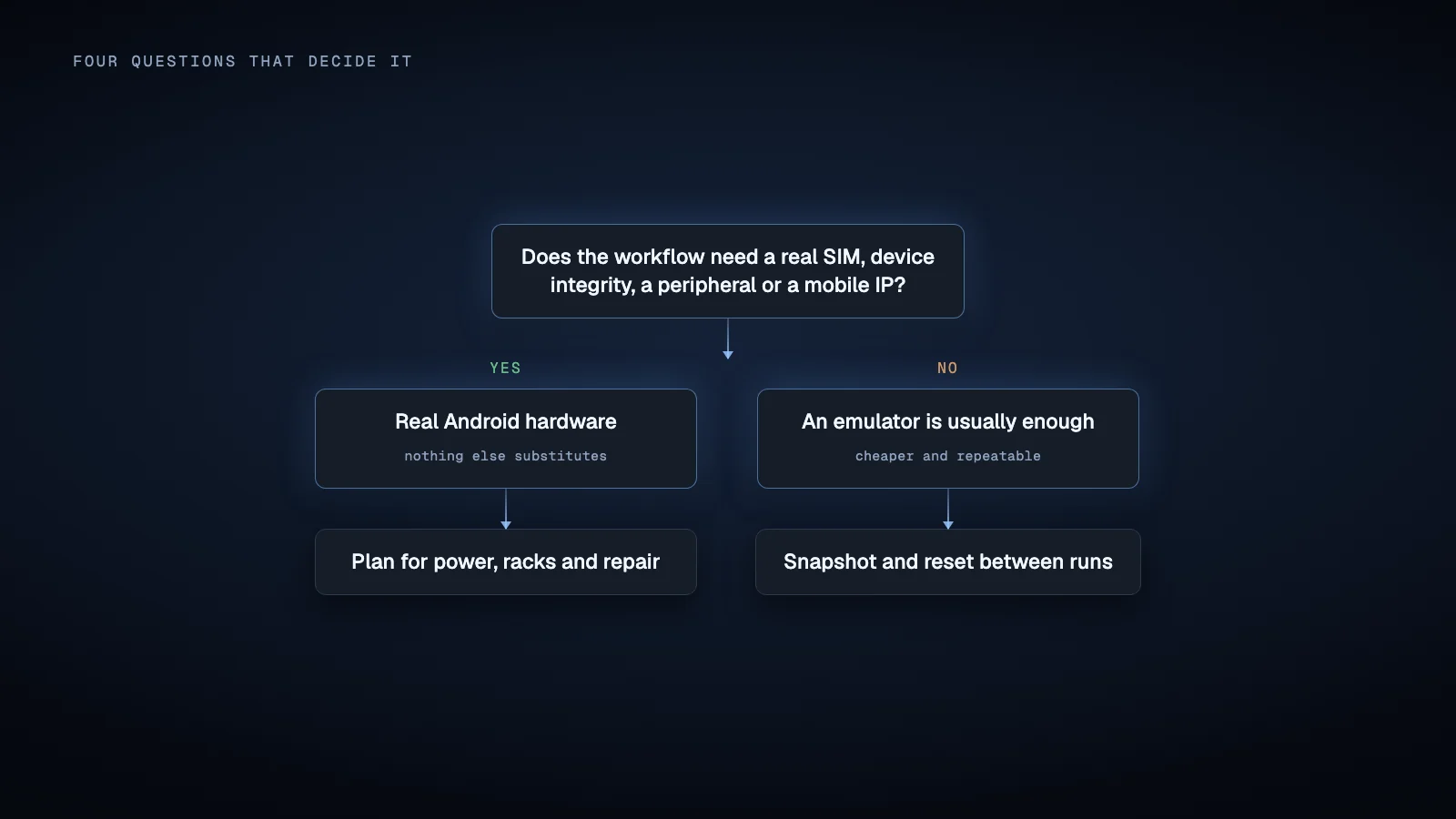
Read that table as two lists rather than a score. Everything in the top half is a tie, so if your workflow only needs those rows, an emulator is the cheaper and more repeatable choice. The moment a single row from the bottom half is load bearing, no amount of emulator configuration substitutes for it.
When an emulator is usually sufficient
An emulator is a strong candidate when the required application runs normally in the selected system image and the workflow does not require a physical SIM, unsupported peripherals, hardware specific integrity or behavior tied to a particular handset implementation.
It can also make sense when the automation environment benefits from reproducible system images, rapid provisioning, snapshots or automated reset.
Applications that you control are especially suitable because you can explicitly design and test them for virtual environments.
The most reliable way to decide is empirical. Build the workflow on a representative emulator and verify every dependency that matters rather than assuming that a physical device will eventually be required.
When real Android hardware is genuinely necessary
Real hardware becomes the safer architectural choice when the workflow depends on something that is fundamentally physical or when the required application explicitly differentiates between physical and virtual environments.
Common examples include workflows that require a real cellular subscription, NFC, Bluetooth or USB hardware, device specific firmware behavior, physical camera characteristics, hardware backed device integrity, or validation on the same device classes used by actual users.
Real devices can also be appropriate when production requirements demand a specific manufacturer model because Android behavior can differ across hardware vendors and firmware versions.
The important distinction is necessity versus fidelity.
You may use a real device because a feature cannot function without it. Alternatively, you may use real devices because reproducing actual handset behavior is important even though the workflow technically runs inside an emulator.
Those are different requirements and should be documented separately.
Cloud Android phones are a third option
The choice is not strictly between an emulator on your own server and a phone on your own desk. Cloud Android phones sit in between. A provider runs real Android devices in a data center and rents each one by the month, so there is no hardware to buy, power or rack, and adding capacity means renting another device rather than ordering one.
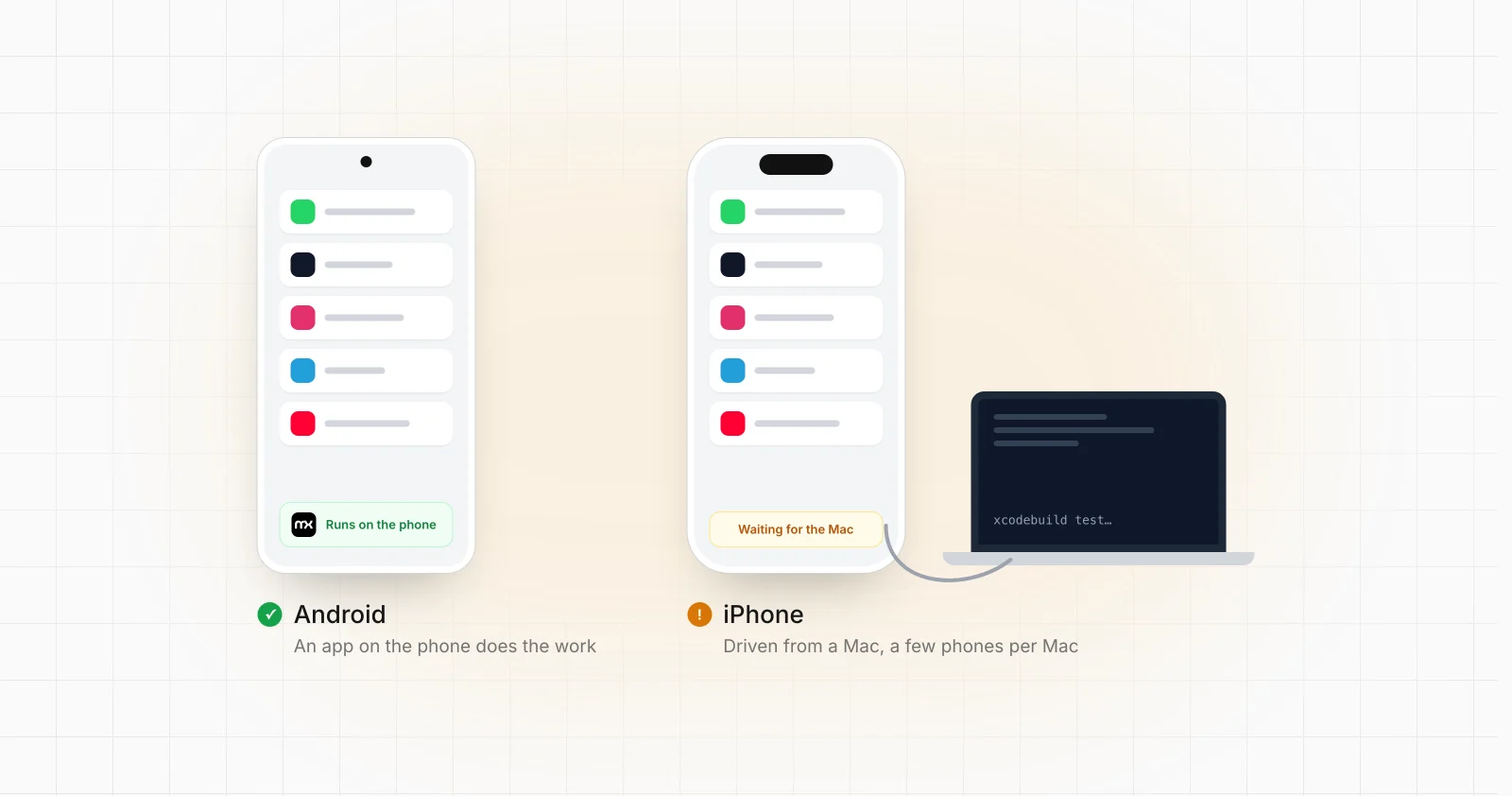
Because each one is an ordinary Android device rather than an AVD, the automation layer does not have to change. An agent on the device that works through the Accessibility API behaves the same way there as on a phone you own, which is how the same flows run on cloud phones.
The trade-offs move rather than disappear. You pay per device every month instead of once, you depend on the provider for uptime, and the network, SIM and integrity questions above still have to be answered for that provider. Whether renting beats owning depends on fleet size and how long the workload runs, which is what the phone farm cost calculator compares across your own phones, box phones and cloud phones.
A practical decision process
Before designing a device farm, evaluate the workflow in this order.
Determine whether the application officially runs in an emulator.
Identify every required hardware feature, including telephony, NFC, Bluetooth, camera behavior, sensors and external peripherals.
Check whether the application depends on device or application integrity mechanisms.
Define the required network environment independently from the Android environment.
Decide whether device state must survive individual jobs, restarts or infrastructure maintenance.
Test the actual automation framework on both environments where uncertainty remains.
Design fleet operations around health reporting, command routing, retries, observability and recovery rather than assuming the device type solves those concerns.
A hybrid architecture is also reasonable. Emulators can handle development, regression testing or workflows with no hardware dependency, while physical devices are reserved for tasks where the physical environment materially affects execution.
Real devices are an architecture choice, not a default
There is no universal rule that a production Android device farm must consist of physical phones.
Modern Android emulation is sophisticated enough for many continuous workloads, and frameworks such as Appium can automate either environment. At the same time, virtualization cannot reproduce every hardware, telephony, integrity and manufacturer specific property of a physical device.
The decision should follow the application's dependencies.
For organizations whose production workflows specifically require real Android hardware, platforms such as MationX can sit in this separate production automation category, where devices are operated as part of an ongoing business workflow rather than used only as temporary test targets.
The key question is therefore not whether real devices are inherently better than emulators. It is whether anything in the workflow requires Android to be running on actual hardware. If the answer is no, virtualization may be the simpler execution environment. If the answer is yes, treating physical devices as first class infrastructure becomes part of the system design.
Sources
Android Developers, Android Emulator overview and capabilities.
Android Developers, Create and manage Android Virtual Devices.
Android Developers, Advanced Android Emulator usage and hardware limitations.
Android Developers, Play Integrity verdicts.
Android Developers, Play Integrity device recall.
Android Developers, Build managed devices for automated testing.
Firebase, Android Virtual Devices in Test Lab.
Firebase, Android Test Lab concepts and physical versus virtual device execution.
Appium, UiAutomator2 setup for physical devices and Android emulators.
AWS, Device Farm overview and remote access documentation.
Android Developers, Emulator network architecture and proxy configuration.
Android Developers, Android telephony subscription APIs.