How it works10 min read
Accessibility Service vs ADB vs UIAutomator vs Appium
Written by Petr Kynčl
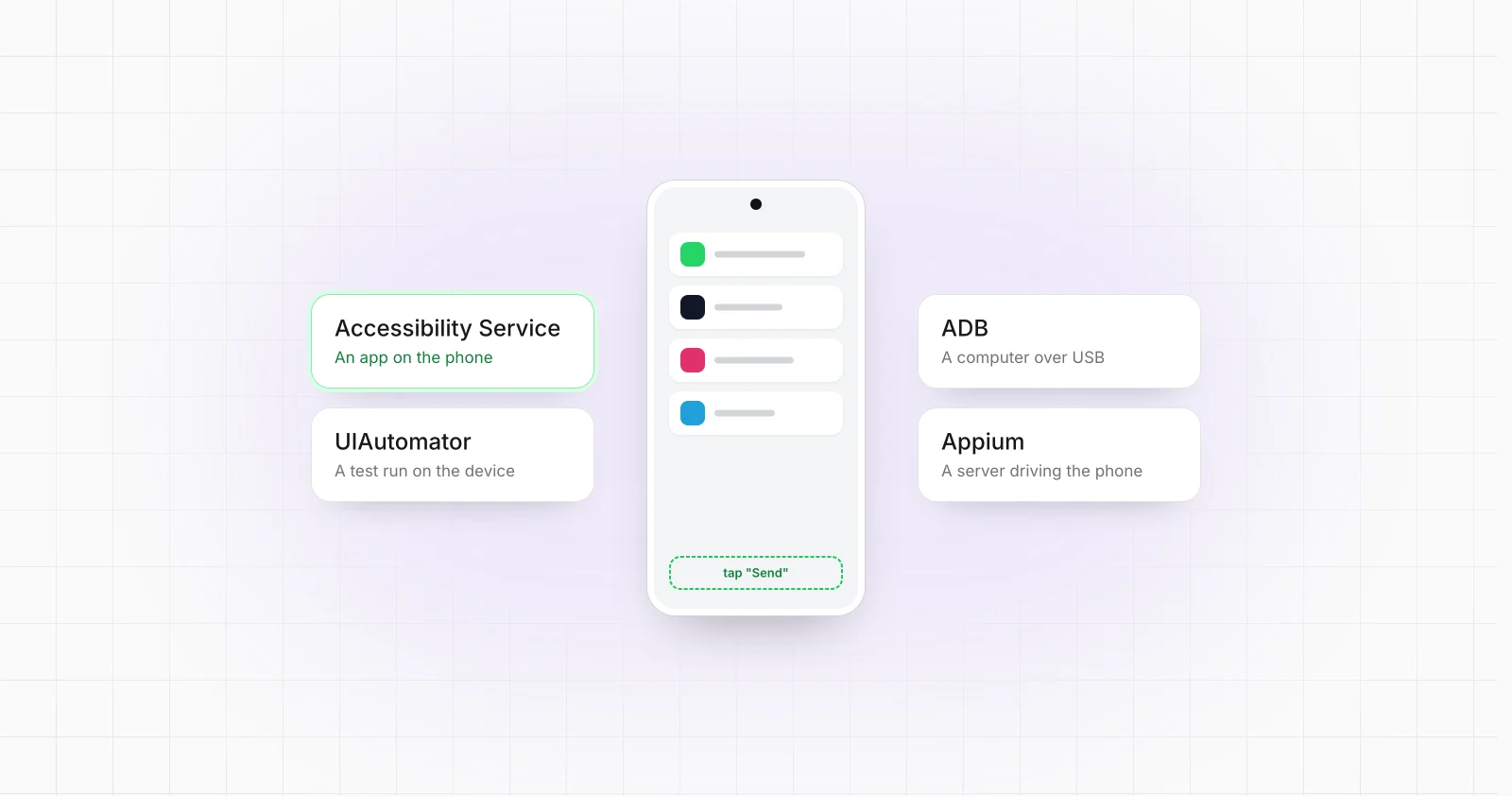
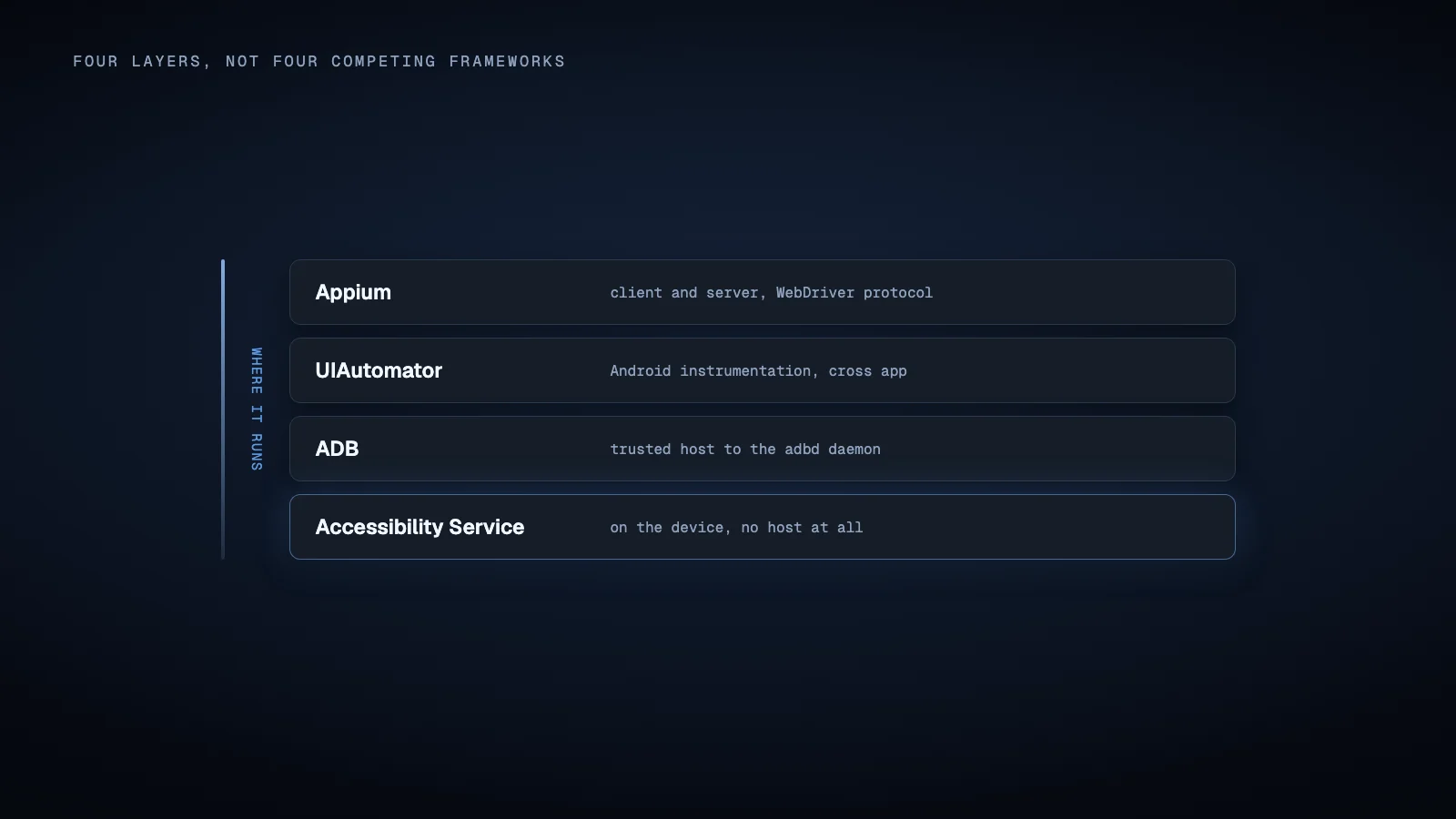
Accessibility Service, ADB, UIAutomator and Appium are often compared as though they were four competing Android automation frameworks. They are not.
They operate at different layers of the Android stack. Accessibility Service is an Android application service with privileged access to accessibility events and UI nodes. ADB is a communication and debugging channel between a host and an Android device. UIAutomator is an Android testing framework built around device level UI automation. Appium is a higher level automation server that exposes WebDriver style commands and delegates Android control to a driver, most commonly the UiAutomator2 driver.
That distinction matters because the correct choice depends less on which tool has the longest feature list and more on where the automation should run, how long it must remain active, how devices are connected, and whether the primary goal is software testing or operating an Android workflow.
The architectural difference matters more than the API syntax
The simplest way to compare the four technologies is to identify where the automation logic lives.
| Technology | Main execution model | UI understanding | Requires host connection | Natural role |
|---|---|---|---|---|
| Accessibility Service | Android service running on the device | Accessibility events and node hierarchy | No | Device resident interaction and assistive automation |
| ADB | Commands from a trusted host to adbd on the device |
None inherently | Yes | Device control, deployment, debugging and orchestration |
| UIAutomator | Android instrumentation based automation | Accessibility backed device UI hierarchy | Usually controlled through the Android test toolchain | Cross app functional UI testing |
| Appium | Client sends WebDriver commands to an Appium server and Android driver | Depends on the driver, commonly UIAutomator2 | Yes for the normal Android architecture | Remote and language independent UI automation |
Android itself describes ADB as a client, server and device daemon architecture. The host side server manages connections to devices, while adbd executes commands on each device. It can install applications, open a shell, transfer files, capture screenshots, invoke Android system commands and address individual devices by serial number.
UIAutomator lives at another layer. Android describes it specifically as a framework for cross app functional UI testing. Its underlying UiAutomation API uses Android accessibility infrastructure for UI introspection and can also inject input events. Android explicitly describes UiAutomation as similar to a special Accessibility Service intended for UI test automation.
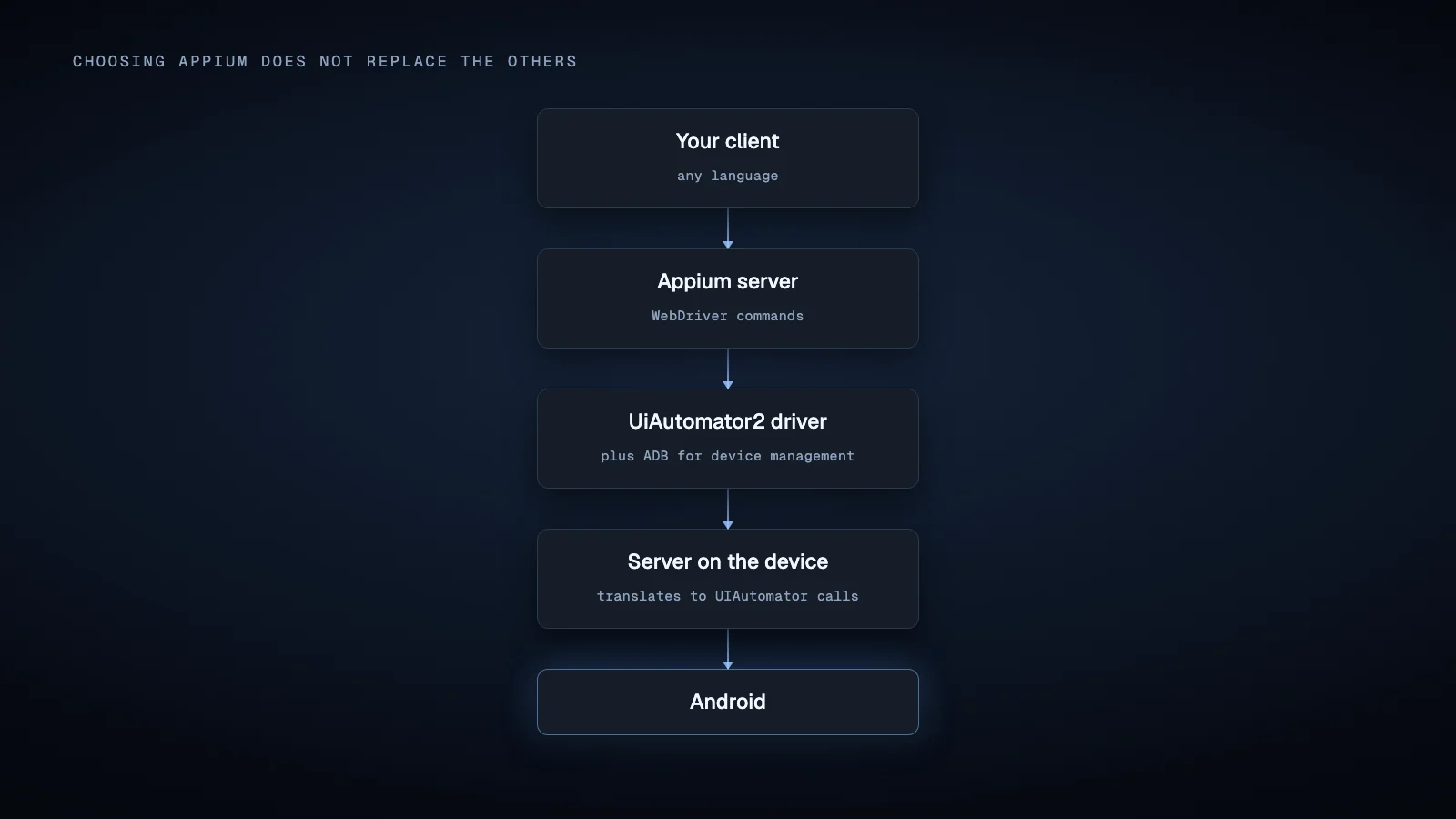
Appium adds another layer again. Appium implements a client and server architecture based on WebDriver. Its Android UiAutomator2 driver sends many commands to a server running on the Android device, which in turn uses Google's UIAutomator technology. Other operations use ADB and Android helper applications.
Therefore, using Appium with UiAutomator2 frequently means using Appium, UIAutomator and ADB in the same architecture.
Accessibility Service: automation that lives on Android
An AccessibilityService is installed as part of an Android application. Once the user enables the service in Android settings, the system can deliver accessibility events to it as interfaces change. Depending on its declared capabilities, the service can inspect window content, navigate accessibility nodes, invoke actions such as clicks and scrolling, perform global actions and dispatch gestures.
This event driven model makes Accessibility Service fundamentally different from host controlled testing tools. The automation code can remain on the phone and react directly to Android events without maintaining an ADB or Appium connection to another computer.
That can make it technically attractive when a workflow must continue on a standalone device. A backend connection, queue or WebSocket can be added to the Android application separately if remote commands are needed.
There are important constraints.
The service cannot simply enable itself. Android states that activation is triggered exclusively by the user enabling it in system settings. Its lifecycle is managed by Android rather than by an external automation controller.
UI visibility also depends on what the target application exposes through Android accessibility. AccessibilityNodeInfo only represents information that Android makes available through the accessibility layer. Custom rendering, poorly exposed controls and particular application implementations can therefore change what the automation can identify or manipulate. Android also notes that access to interactive windows requires the appropriate declared capability.
Distribution policy is another architectural consideration. Google Play currently allows Accessibility Service usage beyond dedicated accessibility tools, but automation uses are subject to declaration, disclosure and consent requirements. Google Play also states that automation must have a narrow and clearly understood purpose and prohibits autonomous planning and execution for ordinary automation apps, while deterministic rule based automation is explicitly distinguished from that prohibited behavior.
Those are Google Play distribution rules, not a statement that the Android API technically cannot execute other logic. Internal applications, managed deployments and software distributed outside Google Play have a different distribution context, although Android platform restrictions still apply.
ADB: powerful device control, but not a complete UI framework
ADB is frequently used for Android automation because it provides broad device control from a computer.
A script can use ADB to start activities, force stop packages, install applications, execute shell commands, capture screenshots, transfer files, inspect logs and communicate with a specific device among several attached devices. Android also supports wireless debugging on current Android versions, with explicit pairing between the workstation and device.
That makes ADB an excellent control plane for a locally managed device fleet, such as a small Android phone farm.
What ADB does not provide by itself is a high level semantic UI automation API comparable to UIAutomator or Appium. ADB gives the host access to commands and the device shell. A script can inject low level interactions through Android shell utilities or combine screenshots and coordinates, but ADB itself does not turn a button into a persistent WebDriver element object with locator, wait and assertion semantics.
This distinction explains why ADB is often part of a larger system rather than the entire system.
For example, ADB may bootstrap an automation agent, install helper packages, collect Logcat output and restart a target application while Accessibility Service handles UI events. Alternatively, Appium may use ADB for device management while its UiAutomator2 server handles element interaction.
For production use, the major architectural dependency is the debugging connection. USB debugging or wireless debugging must be enabled and the controlling computer must be authorized. Android uses an RSA authorization dialog to prevent arbitrary hosts from issuing debugging commands.
That is very different from deploying an ordinary Android application that communicates with a backend over HTTPS.
UIAutomator: native Android device UI testing
UIAutomator is Google's framework for tests that must interact with Android beyond a single application process. Android specifically positions it for interactions involving user applications, system applications and interfaces such as Settings.
As of July 2026, the current stable AndroidX UIAutomator release is 2.4.0. The 2.4 generation introduced a redesigned API with predicate based element lookup, built in waits, explicit app state handling, direct accessibility window interaction, screenshots and reporting support.
The critical architectural property is instrumentation. UIAutomator normally runs as Android test code through AndroidX Test and AndroidJUnitRunner. It can operate outside the target application's process, which is why it can automate another application or move through system UI without integrating automation code into the application being tested.
For Android test suites, this is often exactly the desired model. There is no need to introduce a permanent Accessibility Service into the product merely to perform acceptance tests.
For continuous business automation, the same instrumentation model deserves more scrutiny. UIAutomator can technically drive real applications and devices, but it was designed as testing infrastructure. Keeping instrumentation processes alive indefinitely, supervising them after failures and turning test execution into a persistent device agent introduces operational responsibilities that the framework itself does not solve.
That does not make UIAutomator unusable outside conventional QA. It means the runtime model should match the project.
Appium: an orchestration layer rather than an alternative Android primitive
Appium is most useful when the automation system benefits from a remote protocol and a mature client ecosystem.
An Appium client can be written separately from the device automation implementation. The client communicates with an Appium server using WebDriver concepts, while installed drivers translate those commands into platform specific operations. Appium currently maintains drivers for several platforms, including the UiAutomator2 driver for Android.
On Android, the current UiAutomator2 driver makes the relationship especially clear. Most native automation commands are forwarded to an Appium UiAutomator2 server running on the device, which translates them into lower level UIAutomator calls. The driver also depends on Android SDK Platform Tools and ADB.
This architecture is valuable when a test or automation controller should live outside Android, when several programming languages must be supported, when WebDriver tooling is useful, or when Android is only one platform in the larger system.
The cost is additional state and infrastructure. There is a client, Appium server, Android driver, ADB connection, device side instrumentation server and potentially Chromedriver when automating WebViews.
Current UiAutomator2 documentation also illustrates why Appium should not automatically be treated as a permanent device daemon. The driver uses sessions. Its newCommandTimeout currently defaults to 60 seconds without a new command, although the timer can be disabled. The documentation also describes recovery cases where the device side UiAutomator2 server is terminated or unexpectedly killed and must be started again.
A long running operational system can account for those conditions, but session supervision and recovery become part of its architecture.
Version compatibility must also be checked against the driver being deployed. The current UiAutomator2 driver documentation states that driver version 6 requires Android 8, API level 26, or later. Earlier driver branches supported older Android versions. That restriction belongs to the current Appium driver version and should not be mistaken for a universal limitation of Android's UIAutomator APIs.
Which architecture fits which project?
For an Android application that must react locally to UI changes for hours or days without remaining connected to a computer, a properly designed on device component may make more architectural sense than maintaining a permanent external test session. Accessibility Service is one possible mechanism when its capabilities, user consent requirements and distribution rules fit the use case.
For device provisioning, diagnostics, installation, log collection, app lifecycle control and host managed device fleets, ADB is often the appropriate foundation. It can also complement almost every other technology in this comparison.
For Android specific functional testing that crosses application boundaries or enters system UI, UIAutomator is the native testing choice. Its modern 2.4 APIs improve the framework considerably without changing its fundamental role as Android test infrastructure.
For teams that want a remote WebDriver interface, multiple client languages, Android plus other platforms, hybrid application handling or integration with existing mobile testing infrastructure, Appium can provide the higher level abstraction. On Android, however, selecting Appium does not mean replacing UIAutomator or ADB. The normal UiAutomator2 architecture builds on both.
The most important decision is therefore not simply Accessibility Service versus ADB versus UIAutomator versus Appium. It is whether the system should contain a persistent Android agent, a trusted external device controller, an instrumentation test process, a WebDriver server, or some combination of them.
MationX operates in the broader area of production Android device automation, where those architectural distinctions are especially important. It takes the on device route: the MationX Client runs on each phone as an Accessibility Service, reads the element tree rather than pixels, and needs no root or ADB. Production workflows often require device health management and backend command routing in addition to whichever UI control mechanism is selected.
Sources
- Android Developers,
AccessibilityServiceAPI reference - Android Developers, Create an accessibility service
- Google Play Console Help, Use of the AccessibilityService API
- Android Developers, Android Debug Bridge documentation
- Android Developers, UIAutomator 2.4 release notes
- Android Developers, Write automated tests with UI Automator
- Android Developers,
UiAutomationAPI reference - Android Developers, Build instrumented tests
- Appium Documentation, Intro to Appium Drivers and Intro to Appium Clients
- Appium, current UiAutomator2 driver documentation and repository