How it works13 min read
How to Control Multiple Android Devices From One Backend
Written by Petr Kynčl
Controlling one Android phone from a computer is straightforward. Controlling a fleet from a backend is a different engineering problem.
The backend has to know which devices exist, which ones are reachable, which command belongs to which device, what happens when a phone disconnects halfway through an operation, and how results return to the caller. It may also need to coordinate UI automation, ADB commands, app specific logic, screenshots, callbacks, logs, and device health.
There is no single Android API that solves all of this. The correct architecture depends heavily on where the devices are located and what level of control is required. Getting one device callable from a backend comes first.
A rack of USB connected phones can be managed through ADB hosts. Phones on the same LAN can use wireless ADB in some environments. Devices distributed across the internet normally require an application or agent that initiates an outbound connection. Enterprise owned devices can use Android Enterprise for supported management operations.
The first architectural decision is therefore not how many phones you have. It is how the backend can legitimately and reliably reach them.
Separate the control plane from the execution mechanism
A useful design starts by separating two concerns.
The control plane decides what should happen. It exposes APIs, authenticates callers, identifies devices, queues commands, assigns work, stores results, and tracks fleet state.
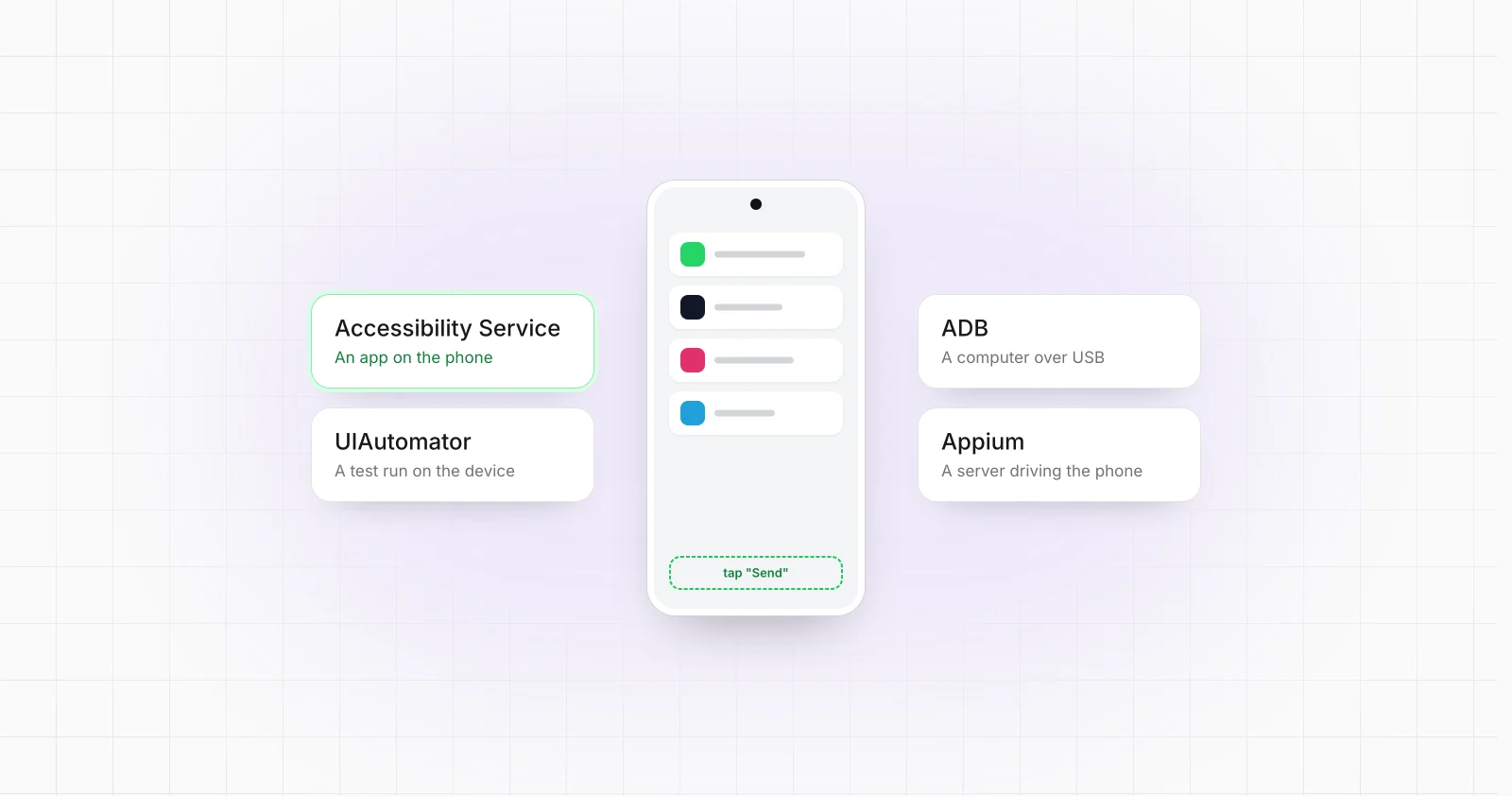
The execution layer performs the actual Android operation. Depending on the use case, that might be ADB, an application specific API, an Android agent, UI Automator, Appium, an AccessibilityService, intents, or device management APIs.
Mixing those layers usually produces a system where backend jobs are tightly coupled to individual USB ports or automation processes. Keeping them separate lets the backend address a logical device_id while a gateway or device agent determines how to execute the command.
Android's own ADB architecture already follows a similar separation. ADB consists of a client, a server running on the host computer, and an adbd daemon running on each Android device. The ADB server maintains connections to multiple devices, and commands can target a specific device using its serial value.
Architecture 1: Local devices connected through USB
For devices physically connected to one machine, ADB is often the simplest control transport.
A local gateway can enumerate devices with:
adb devices -l
Then every operation is explicitly routed to a target:
adb -s DEVICE_SERIAL shell am start ...
adb -s DEVICE_SERIAL install application.apk
Android requires a target when multiple devices are attached. Otherwise ADB reports that more than one device or emulator is available.
A production architecture should normally place an abstraction above ADB:
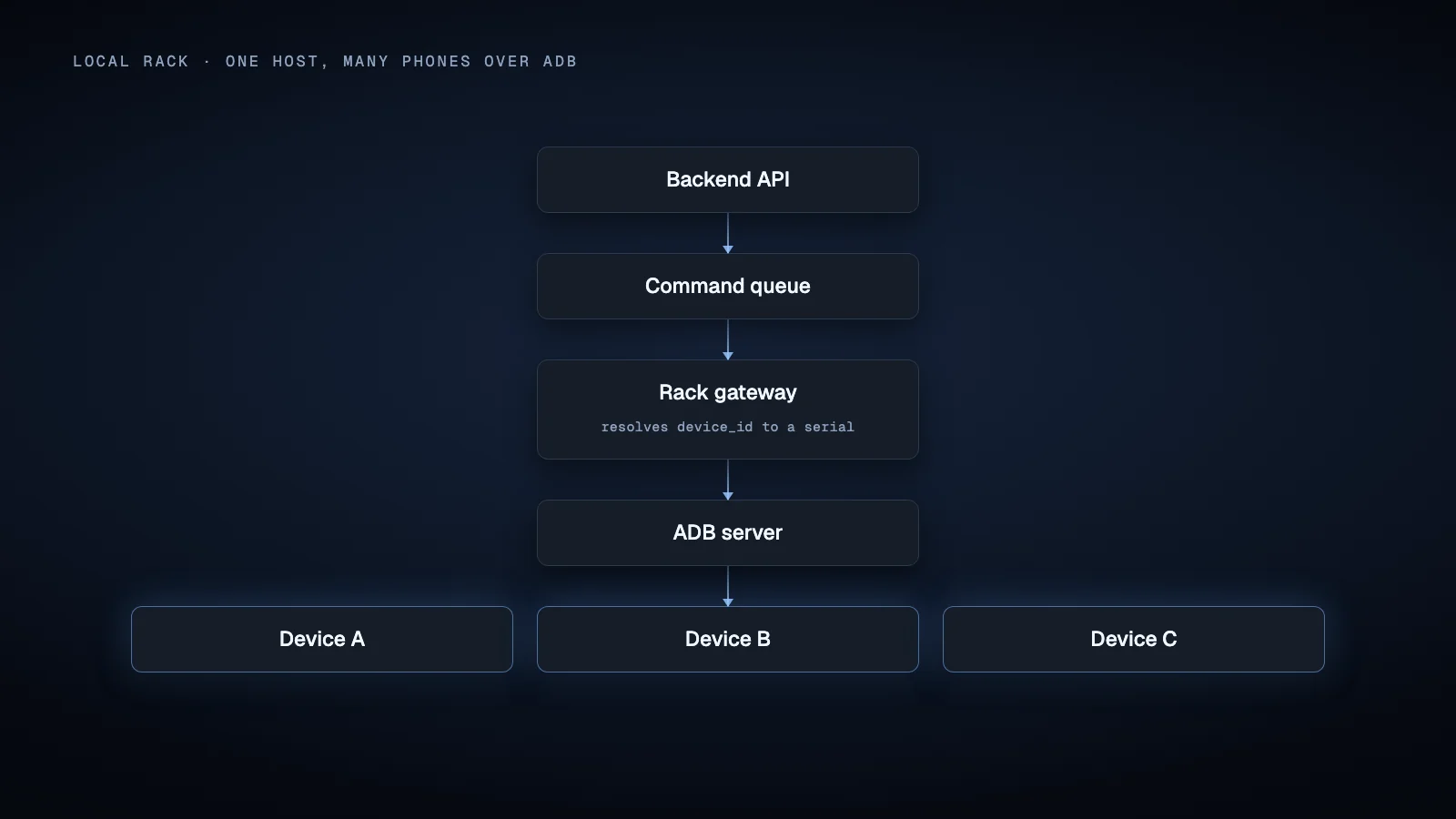
The rack gateway registers its devices with the backend and translates backend commands into device specific ADB operations.
This is preferable to allowing an internet facing API server to execute arbitrary ADB commands directly. It also gives you a natural place to manage USB reconnections, local process supervision, screenshots, Appium servers, device logs, and hardware specific problems.
For several physical locations, run one gateway at each site. The central backend then coordinates gateways instead of maintaining physical Android connections itself.
Architecture 2: Devices reachable on the same network
ADB can also operate wirelessly.
On Android 11 and later, Android officially supports wireless debugging with pairing. The device and workstation are expected to be on the same wireless network, and the user pairs the workstation using a QR code or pairing code.
Older ADB workflows can switch a device into TCP mode after an initial USB connection and connect to its IP address. The Android documentation similarly describes the host and device as being on a common WiFi network.
This makes wireless ADB useful for labs, offices, and controlled device racks where cables are undesirable.
It should not automatically be treated as an internet fleet architecture. Public internet reachability introduces routing, NAT, firewall, credential, and exposure concerns that are fundamentally different from a trusted LAN.
If remote ADB is unavoidable, a private network or gateway architecture is usually cleaner than exposing individual Android debugging endpoints directly.
Architecture 3: Remote devices that connect back to the backend
When devices can be anywhere on the internet, the direction of communication usually needs to reverse.
Instead of the backend opening a connection to each phone, install a device agent that initiates an outbound authenticated connection to your infrastructure.
A simplified model looks like this:
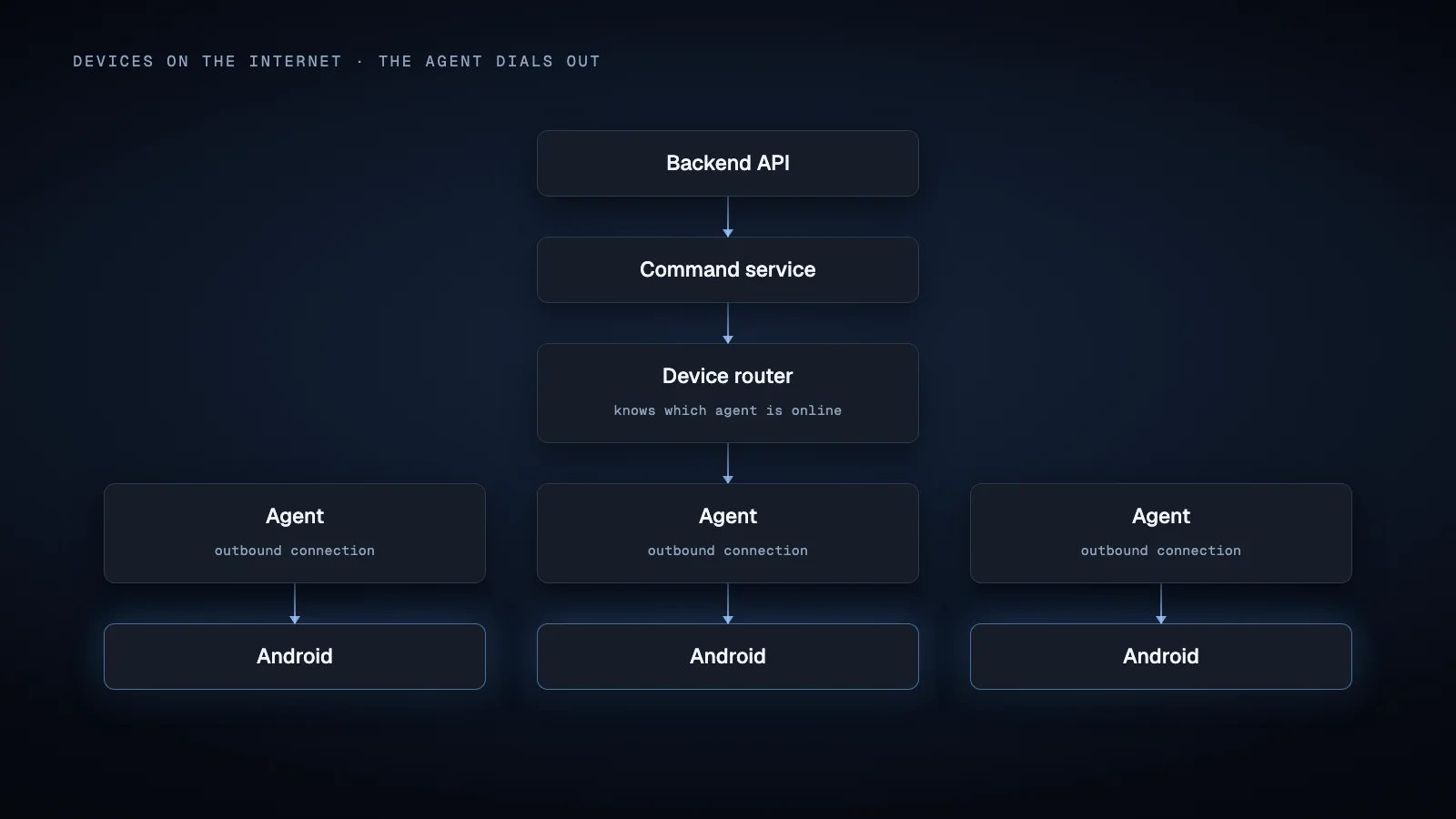
The agent can communicate using several patterns.
Persistent WebSocket connections
WebSocket provides two way messaging over one established connection, which makes it suitable for interactive command delivery and asynchronous device events. The protocol supports either side sending messages after the connection has been established.
The device can authenticate, register its logical identity, open a TLS protected WebSocket, and maintain that session while it is permitted to run.
Commands can then be routed through the connection currently associated with the target device_id.
The difficult part is not WebSocket itself. It is Android process lifecycle.
Modern Android restricts background execution. Apps targeting Android 12 or later generally cannot start foreground services while already in the background except in documented cases. Foreground services also have user visible notification requirements and increasingly specific service type rules. Device owner and profile owner applications receive some exemptions, but an ordinary application cannot simply assume that Android will let an invisible process run forever.
This matters when designing a supposedly permanent remote control agent.
MQTT or another broker based protocol
A message broker can provide another useful abstraction.
A device can subscribe to a topic associated with its identity and publish results or health events through separate topics. MQTT specifically defines a broker based publish and subscribe messaging model and several quality of service levels.
This can simplify routing and reconnect logic, but it does not remove Android background execution constraints. The broker solves message transport. It does not guarantee that the Android process will remain alive.
FCM as a wake or synchronization signal
Firebase Cloud Messaging can target a specific Android application instance from a trusted server environment. FCM supports both notification messages and application handled data messages.
FCM is useful when the agent is not expected to maintain a permanent socket. One pattern is:
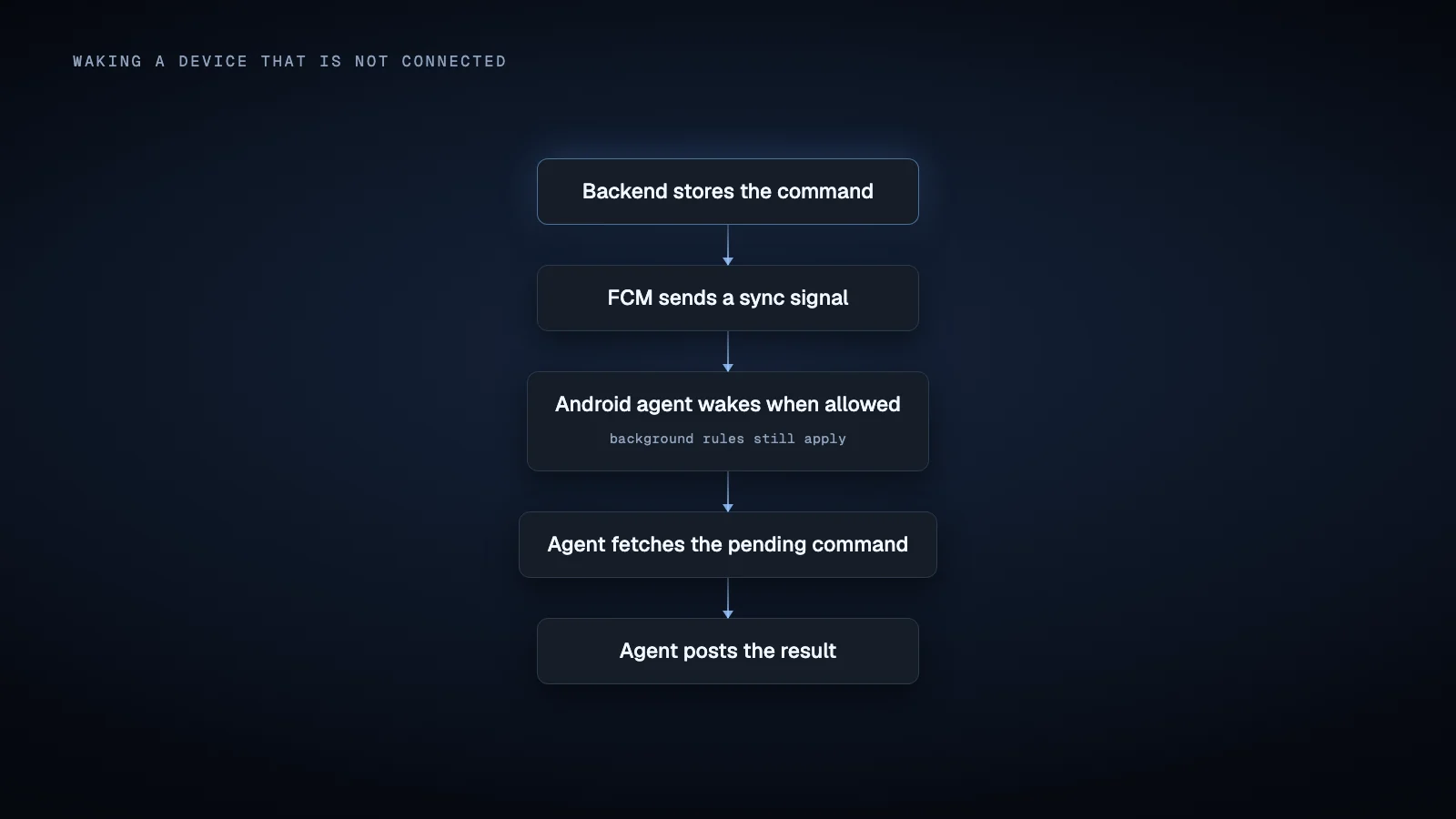
For orchestration, it is safer to treat FCM as a notification that work exists rather than as the authoritative job queue.
FCM explicitly does not guarantee message ordering. Normal priority delivery can also be delayed while a device is in Doze mode. High priority messages are intended for time sensitive, user visible use cases, and misuse can result in different delivery behavior.
A backend should therefore retain the real command state itself.
Architecture 4: Android Enterprise management
If the devices are organization owned and the required operations are device management rather than arbitrary UI automation, Android Enterprise may eliminate a large amount of custom infrastructure.
The Android Management API uses a policy driven model. Devices are enrolled into an enterprise, policies are assigned, and Android Device Policy enforces supported settings on the device. The API also exposes device resources and selected commands.
Supported commands include operations such as locking, rebooting supported fully managed devices, clearing application data, resetting passwords in applicable configurations, and wiping devices.
This is fundamentally different from remotely pressing a button inside an arbitrary application.
Android Enterprise is appropriate when the problem is fleet configuration, application deployment, kiosk behavior, security policy, or supported administrative commands. It is not a generic remote UI automation API.
A practical production control plane
Regardless of transport, the central backend should model commands explicitly instead of treating them as transient RPC calls.
A useful command record might contain:
{
  "command_id": "cmd_...",
  "device_id": "dev_...",
  "type": "open_app",
  "payload": {},
  "created_at": "...",
  "expires_at": "...",
  "attempt": 1,
  "idempotency_key": "...",
  "trace_id": "..."
}
Its state can progress through stages such as queued, assigned, acknowledged, running, succeeded, failed, or expired.
That model solves several practical problems.
If a device is offline, the command can remain queued until its expiry policy says otherwise. If a connection dies after execution but before the acknowledgement reaches the backend, the backend can distinguish an uncertain result from a command that definitely never ran.
For operations that may be retried, use idempotency where possible. A request such as "synchronize configuration version 42" is easier to retry safely than "tap the purchase button again."
The same principle applies to fleet commands. If an operator targets a group, resolve that group into individual device commands and track each result separately. A bulk operation should not erase the fact that one device succeeded while another disconnected.
Device identity should not equal network address
A production backend needs a stable application level device identity.
An IP address is not an identity. An FCM registration is not a permanent identity either. Firebase recommends maintaining registration state because registrations can become stale or invalid.
ADB serial values are excellent routing identifiers inside an ADB environment, but they should not necessarily become the primary business identifier for a distributed fleet.
A stronger enrollment flow can generate a key pair on the Android device and register its public key with the backend. Android Keystore lets applications keep their own cryptographic credentials and can use hardware backed key storage where the device supports it.
The backend can then maintain separate fields for:
logical device id
device public key
ADB serial when applicable
FCM registration
current gateway
active connection
model and Android version
agent version
last heartbeat
management mode
This separation makes device replacement, network changes, reinstalls, and transport changes easier to reason about.
Command routing, concurrency, and coordination
Once a device is registered, the router needs to know where it currently lives.
For a USB device, that might be gateway_europe_03.
For an internet connected agent, it might be an active WebSocket session.
For Android Enterprise, routing may mean an Android Management API device resource.
Do not allow two unrelated workflow workers to manipulate the same user interface without coordination. A useful approach is to assign a per device lease while an interactive workflow is running.
Background operations that are genuinely independent can use different concurrency rules, but UI automation usually benefits from serialization because both jobs are competing for the same visible Android state.
The scheduler should also distinguish device capability from device availability. A phone can be online but still unsuitable for a job because the required application is missing, its agent version is incompatible, a permission is disabled, or another workflow already owns the device.
Monitoring more than connectivity
A green TCP connection does not prove that a device can execute work.
ADB itself distinguishes states such as device and offline, and its documentation notes that an ADB device state does not even prove that Android has finished booting.
Useful fleet health signals can include the last successful heartbeat, agent version, Android version, current workflow, connection state, charging state, available storage, recent command failures, and the status of any automation service your workflow depends on.
Heartbeats should carry enough information for the backend to decide whether a device is usable. The backend can mark devices unavailable when heartbeats become too old according to your own operational policy.
Observability should also follow the command.
Use the same trace_id across the API request, scheduler, gateway or socket dispatch, Android execution, and result callback. When a command fails, you should be able to determine whether it failed before dispatch, during transport, inside the Android automation layer, or while returning the result.
Choosing the Android execution layer
Transporting a command to a phone still leaves the question of how the phone performs it.
ADB provides shell access, application installation, activity manager commands, file transfer, port forwarding, and other debugging capabilities.
UI Automator provides APIs for inspecting visible Android UI elements and performing actions such as clicks and gestures. Android describes it as a framework for cross application functional UI testing.
Appium's UiAutomator2 driver builds a WebDriver style automation layer on top of Android UI automation. For parallel real device sessions, its documentation recommends explicitly assigning the device udid, with separate host ports where required.
AccessibilityService provides another technically powerful interface because a service can receive accessibility events and, when configured for it, inspect active window content. However, Android explicitly states that accessibility services should be used to assist users with disabilities, and the user normally enables the service through device settings. It should not be described as Android's general purpose automation API.
These mechanisms can coexist. A backend might use an agent for transport, ADB for device maintenance, and a UI automation framework for an application workflow.
The important point is that none of them replaces the orchestration layer.
Build around failure, not an assumed fleet size
There is no architecture that becomes correct simply because the fleet contains 10, 100, or 1,000 devices.
As the fleet grows, pressure appears in different places depending on the design: USB topology, host processes, persistent connections, queue depth, database writes, UI automation sessions, screenshots, video streams, log volume, or third party service quotas.
Measure those components independently.
A good architecture makes it possible to add gateway processes, workers, brokers, or connection handlers without changing the logical device model or command API.
That is the real purpose of the control plane.
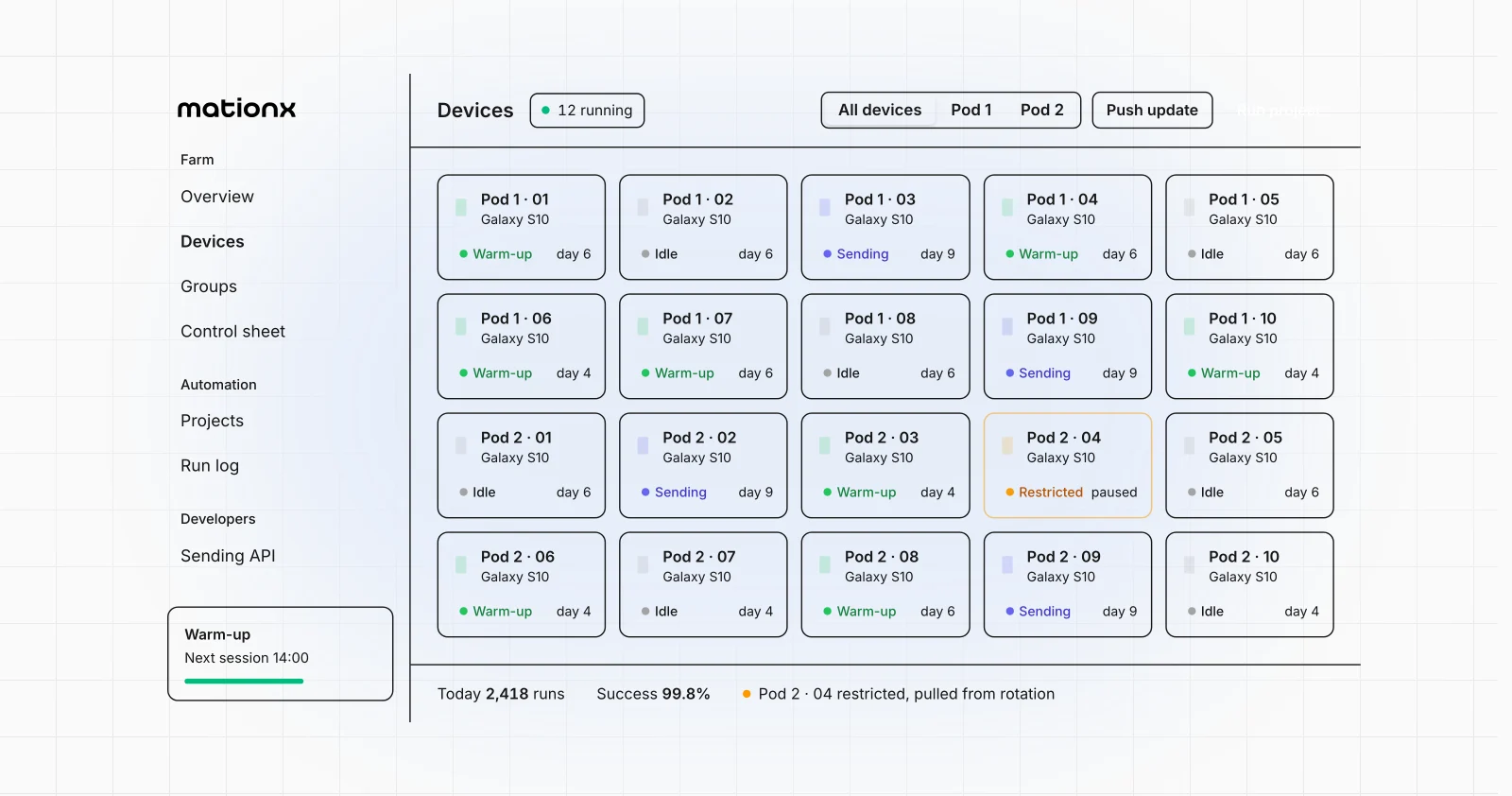
If you are evaluating production Android orchestration rather than building every layer from scratch, MationX is aimed at this class of problem: turning real Android device workflows into centrally controlled software operations. Its device agent, the MationX Client, runs on each phone and works the apps through the Accessibility API, without root. The same fundamentals still apply. Devices need explicit identities, controlled routing, observable execution, and a failure model that assumes phones and networks will sometimes disappear.
If your use case requires backend controlled workflows on real Android devices, define the transport, execution method, and device lifecycle separately before choosing the automation stack. That architecture will matter more than the first automation script.
Sources
Android Developers, Android Debug Bridge. Android Debug Bridge documentation
Android Developers, Restrictions on starting a foreground service from the background. Foreground service restrictions
Android Developers, Task scheduling with WorkManager. Android persistent work documentation
Firebase, FCM Architectural Overview. Firebase Cloud Messaging architecture
Firebase, Non collapsible and collapsible messages. FCM message delivery behavior
Firebase, Set and manage Android message priority. FCM Android message priority
Android Developers, Android Keystore system. Android Keystore documentation
Google for Developers, Android Management API. Android Management API overview
Android Developers, AccessibilityService. AccessibilityService API reference
Android Developers, UI Automator. UiDevice API reference
Appium, UiAutomator2 Driver. Appium UiAutomator2 driver documentation
IETF, RFC 6455: The WebSocket Protocol. WebSocket protocol specification
OASIS, MQTT Version 5.0. MQTT 5.0 specification