How it works11 min read
Android SMS Gateway: How to Turn a Phone Into an SMS API
Written by Petr Kynčl
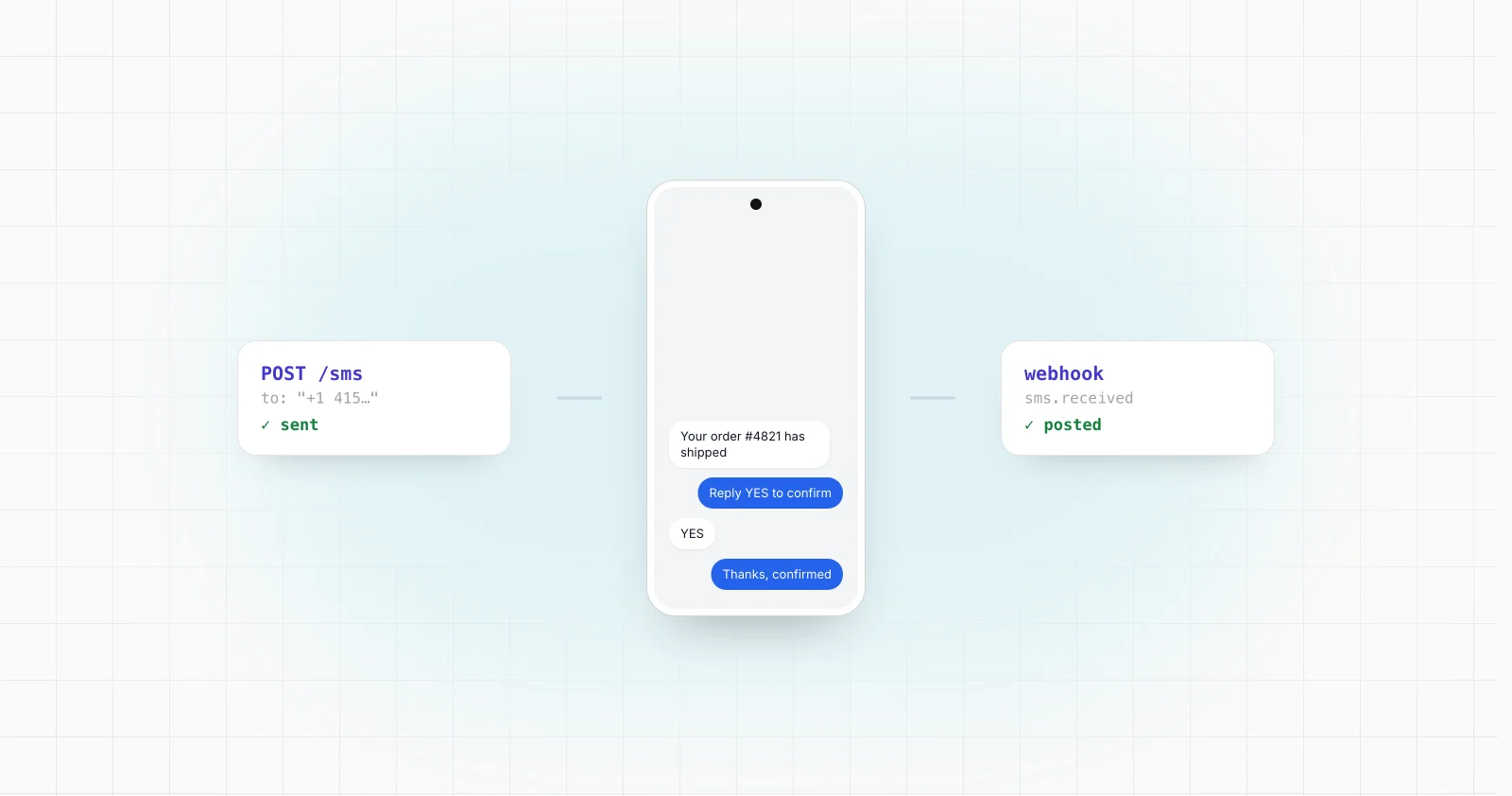
An Android SMS gateway turns a real Android phone into the telephony endpoint behind a programmable API. Your backend sends a command such as POST /messages, an Android application receives the job, and the phone asks Android's telephony framework to send the SMS through an active cellular subscription. Incoming messages can travel in the opposite direction, from Android into your backend through an HTTPS request or webhook.
That basic architecture matches the current search intent around terms such as Android SMS gateway, SMS API using Android phone, and phone as SMS gateway. Current open source projects commonly expose REST APIs, inbound webhooks, device registration, message status and either direct local connectivity or a cloud relay between the backend and phone.
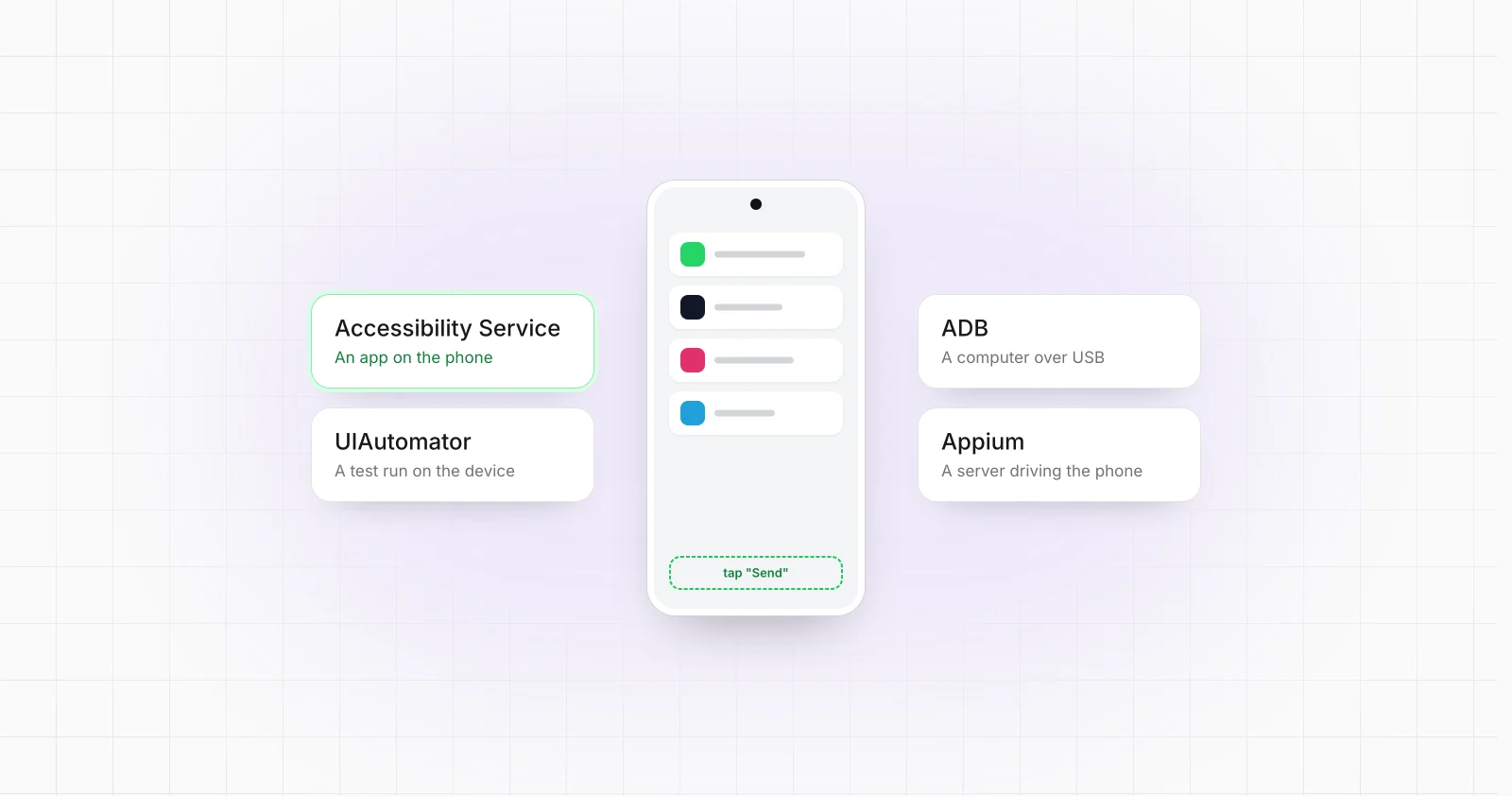
The important distinction is that Android itself does not expose a remote SMS REST API, in the same way it exposes no general remote API for operating apps. Android exposes telephony APIs to applications running on the device. Turning those APIs into a backend service requires an Android device agent plus your own communication, queuing, authentication and status model.
The basic Android SMS gateway architecture
A practical implementation normally has four components:
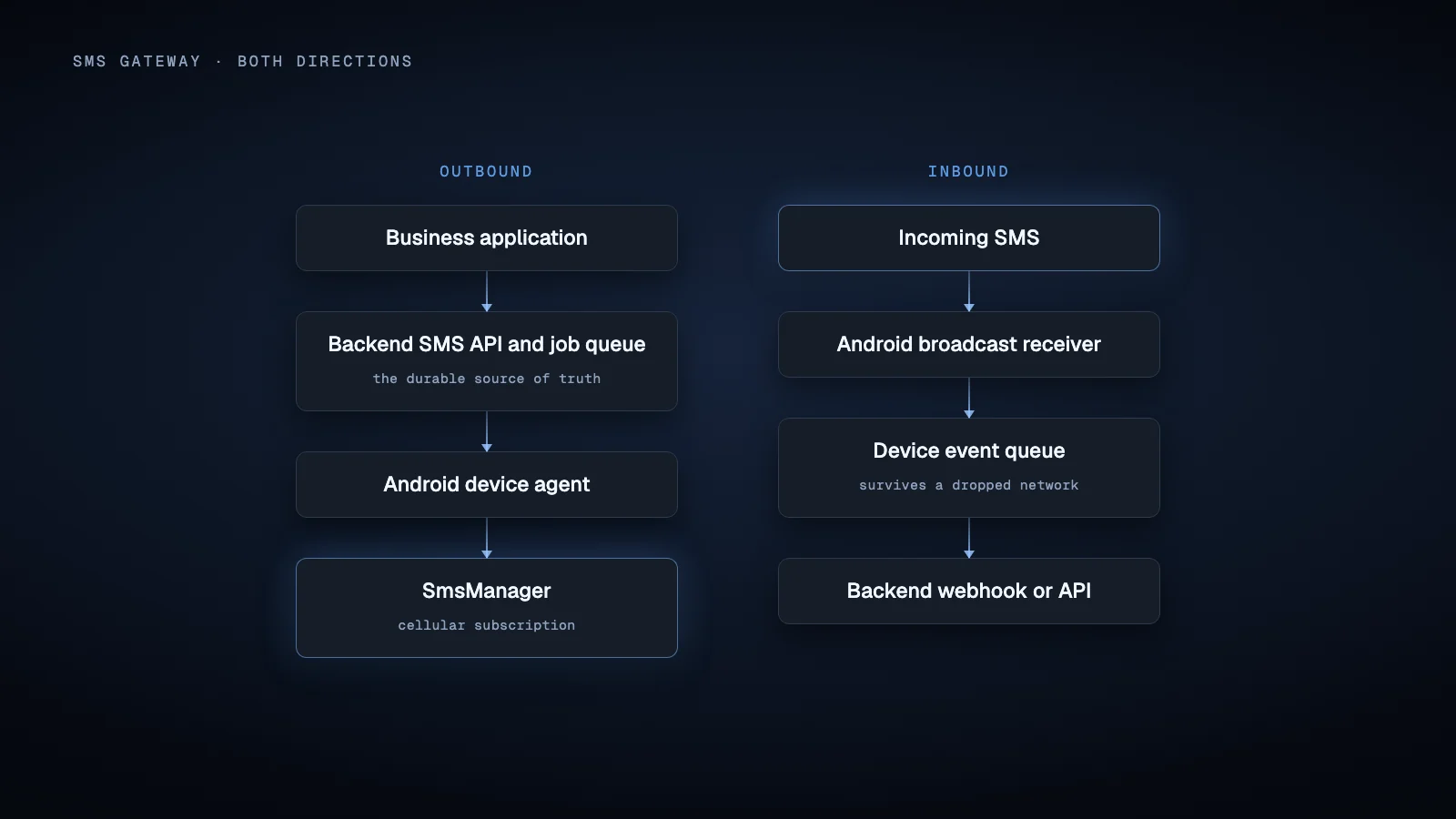
The backend should usually own the API contract and message records. The phone should be treated as an execution node.
For example, a request to your API can create a message with an internal ID and a queued state. The backend routes that job to a particular Android device. The device sends it, reports the Android send result, and later reports a delivery status if the network supplies one.
This distinction matters because accepting an API request, handing a message to Android, and receiving a delivery report are different events. They should not all be represented as a single success state.
Sending SMS from Android with SmsManager
Android's official API for sending SMS is SmsManager. sendTextMessage() requires the SEND_SMS permission and a device with the FEATURE_TELEPHONY_MESSAGING system feature. Android also provides multipart sending for messages that need to be divided into multiple SMS parts.
A simplified Kotlin flow looks like this:
val manager = getSystemService(SmsManager::class.java)
val smsManager = manager.createForSubscriptionId(subscriptionId)

smsManager.sendTextMessage(
    destination,
    null,
    message,
    sentPendingIntent,
    deliveryPendingIntent
)
Explicit subscription selection is important on phones with multiple active subscriptions. Older examples often use SmsManager.getDefault(), but current Android documentation deprecates older subscription selection methods in API level 31 and provides createForSubscriptionId() for a specific subscription. Using a default manager can fail when Android cannot determine an appropriate default SMS subscription.
The two PendingIntent callbacks also serve different purposes. The sent callback reports the result of the send operation, including failures such as radio or network errors. A delivery callback can receive a status report when one is available. Neither should be turned into an invented guarantee about carrier delivery behavior because that behavior can depend on the network, subscription and recipient environment.
Android also exposes sendTextMessageWithoutPersisting(), but it is not a general gateway shortcut. The official documentation describes it as intended for carrier use and requires privileges ordinary applications generally do not have. A normal SMS gateway should therefore design around the standard sending APIs rather than assume it can silently bypass Android's SMS provider.
Receiving SMS and forwarding it to a backend
For inbound messages, Android exposes the SMS_RECEIVED_ACTION broadcast. An application with the required permission can register a BroadcastReceiver and extract the messages using Telephony.Sms.Intents.getMessagesFromIntent().
Conceptually:
override fun onReceive(context: Context, intent: Intent) {
    val messages = Telephony.Sms.Intents.getMessagesFromIntent(intent)

    for (message in messages) {
        saveIncomingMessage(
            sender = message.originatingAddress,
            body = message.messageBody
        )
    }
}
Do not perform a long network transaction directly inside onReceive(). Android documents broadcast receivers as short lived components whose work should finish quickly. For longer processing, persist the inbound event first and hand network delivery to appropriate scheduled work.
That produces a more robust inbound path:
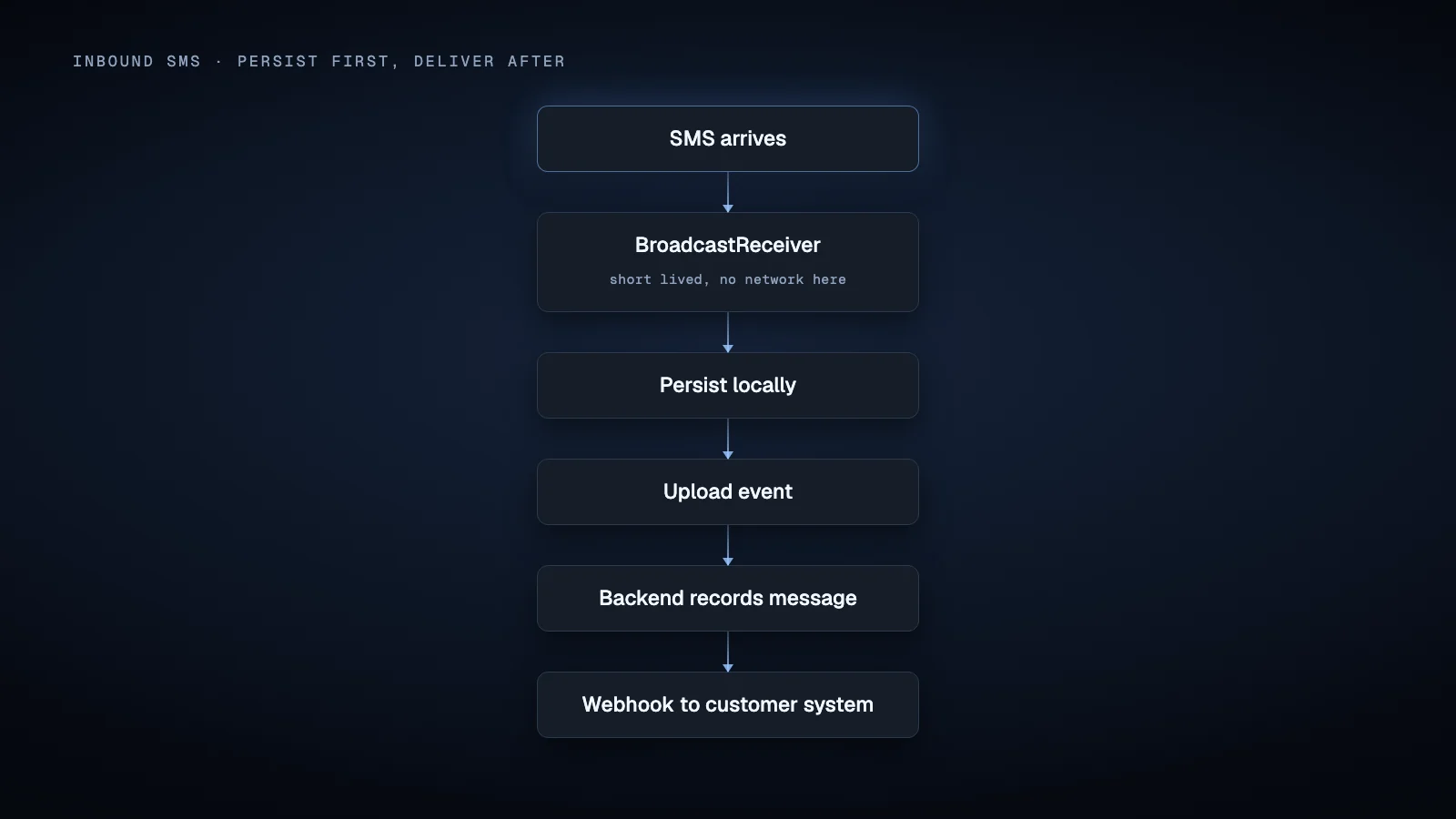
If the network is unavailable, the event remains locally pending instead of disappearing because an HTTP request failed.
Receiving SMS is not the same as being the default SMS app
One of the most confusing parts of Android SMS development is the distinction between ordinary SMS permissions and the default SMS role.
SMS_RECEIVED_ACTION is a notification broadcast available to appropriately permitted receivers. By contrast, SMS_DELIVER_ACTION is delivered to the default SMS application. Android's Telephony documentation also gives the default SMS application responsibility for writing received messages into the SMS Provider.
For sending, SmsManager.sendTextMessage() documents SEND_SMS as the relevant platform permission. Android even documents what happens when an application that is not the default SMS app sends through this API: beginning with API level 19, the system writes that sent message into the SMS Provider.
So a gateway does not automatically need to implement an entire messaging application simply because it calls SmsManager.
Distribution policy is a separate issue.
Google Play restricts access to SMS related permissions. Its current policy identifies default SMS handling as a permitted use and also documents exception categories including device automation, cross device synchronization and certain enterprise scenarios, all subject to review. A product distributed through Google Play therefore cannot assume that declaring SEND_SMS or RECEIVE_SMS is enough to obtain Play approval.
Keep these layers separate when planning deployment:
- Android platform permissions determine what installed software can technically do.
- The default SMS role changes access to particular SMS behaviors and provider responsibilities.
- Google Play policy determines which uses of sensitive SMS permissions are acceptable for applications distributed through Play.
SMS permissions have become an architectural constraint
SEND_SMS, RECEIVE_SMS and READ_SMS are dangerous permissions. On Android 6.0, API level 23, and later, dangerous permissions must also be requested at runtime.
Current Android API documentation goes further and labels SMS permissions such as SEND_SMS and RECEIVE_SMS as hard restricted. The installer on record must allowlist a hard restricted permission before the application can hold it. A user facing runtime permission dialog is therefore not the whole permission model. Installation and distribution method matter as well.
Also request only what the gateway actually needs. A send only gateway does not inherently need access to the entire historical SMS database. Receiving new SMS, reading stored SMS and sending SMS are separate capabilities with separate permissions.
There is an additional current consideration for one time passwords. Android's API documentation now defines the privileged RECEIVE_SENSITIVE_NOTIFICATIONS permission and states that it also governs certain access to SMS messages containing one time passwords. Android 15 also masks one time password content from most notification listener applications. An SMS gateway intended to process authentication messages should therefore be tested against the exact Android release, device software and role configuration rather than assuming that ordinary notification scraping or older SMS behavior will expose every code.
Notification scraping is not a good substitute for the telephony APIs in a general SMS gateway.
How should the backend reach the Android phone?
There are three useful architecture patterns.
Direct API on the phone
The Android application runs an HTTP server and exposes an endpoint on the device:
Backend → Phone HTTP API → SmsManager
This can be attractive on a controlled local network because the request path is simple. Current Android SMS gateway projects offer this mode.
Internet deployment is more complicated. The phone may not be directly reachable because of cellular network topology, changing addresses, firewalls or the surrounding network configuration. Keeping a continuously active server process also has to respect Android background execution rules.
Cloud relay with a device agent
A more general design places the public API on a backend:
Application → HTTPS API → Queue
                         ↓
                    Android phone
The device authenticates to the server and receives notification that work is available. It then retrieves the authoritative job from the backend.
This pattern is visible in current open source implementations. SMSGate Server, for example, combines a REST API, persistent server storage, device management, FCM integration and webhooks while allowing the Android phone to remain without direct public internet exposure.
FCM can be useful as a wake signal. Firebase documents that Android applications can receive data messages in onMessageReceived(), including while in the background, but the callback has a short processing window. Longer work should be delegated appropriately.
For a gateway, a useful pattern is therefore:
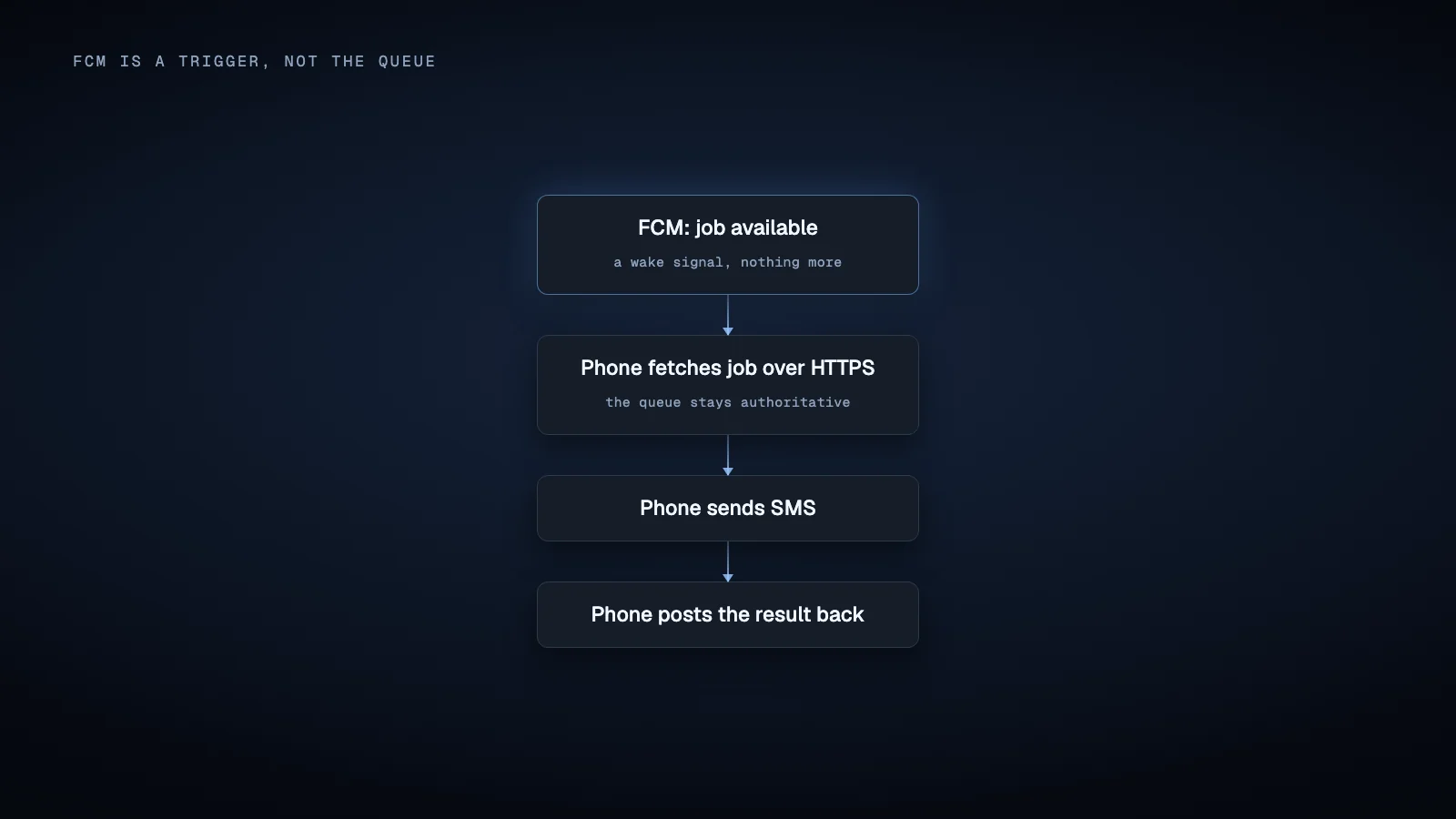
The durable queue remains the source of truth. The notification is merely a trigger.
Periodic backend polling
A device can periodically ask the backend for work, but WorkManager is not an exact low latency polling mechanism. Android documents a minimum 15 minute repeat interval for periodic work, and actual execution time depends on constraints and system optimization.
Periodic WorkManager jobs make sense for reconciliation, health reporting and retrying deferred uploads. They are a poor basis for an API that is expected to dispatch a newly submitted SMS promptly.
Background execution still matters
Android 8.0 introduced significant restrictions on background services and most manifest declared implicit broadcasts. However, Android explicitly exempts SMS_RECEIVED_ACTION from the general implicit broadcast restriction because SMS applications depend on it.
That does not mean a gateway application can run arbitrary background code forever. An inbound SMS can wake the relevant receiver, but the receiver should capture the event and leave durable processing to an appropriate mechanism.
Likewise, if an architecture genuinely requires a continuously active component, foreground service rules and their user visible behavior need to be considered for the Android versions being targeted. Android background execution behavior has changed repeatedly, so a production gateway should be tested on the actual Android builds and manufacturers it will run on rather than designed around an old background service tutorial.
A practical production API model
The HTTP interface can remain conventional even though execution happens on a phone.
A send request might accept:
{
  "deviceId": "device_27",
  "subscriptionId": 1,
  "to": "+12025550123",
  "text": "Your appointment is confirmed.",
  "clientReference": "order_8134"
}
The backend can return an internal message ID immediately and expose states such as queued, assigned, submitted, send_failed and delivery_report_received.
For inbound traffic, store the Android event first, then deliver a webhook containing a stable event ID. A receiving backend should be able to safely process duplicate webhook attempts.
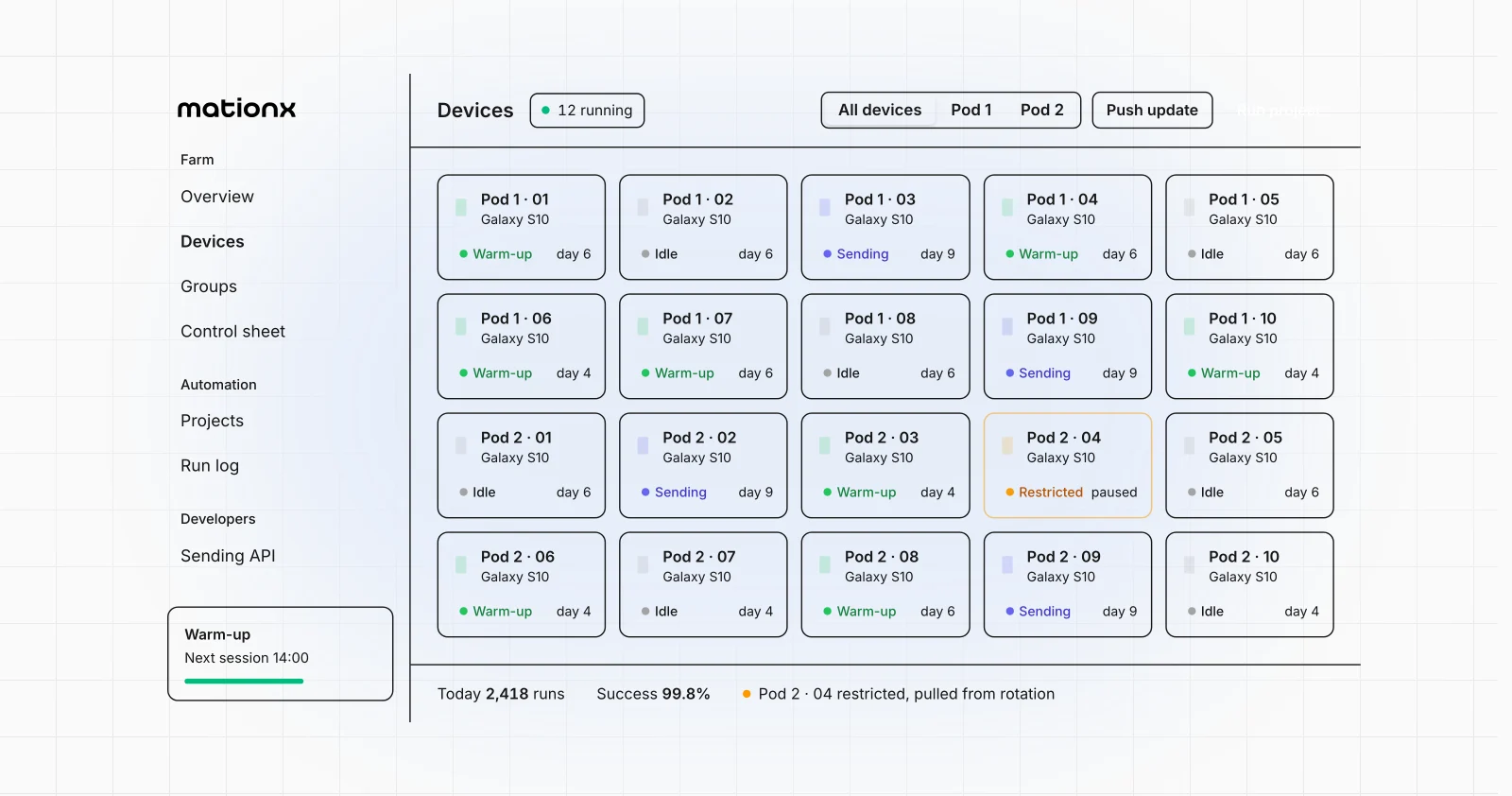
For multiple phones, add device identity, authentication, heartbeats and routing. The server should know which devices are online and which subscription a job intends to use. Do not infer that a particular number of devices, SIM cards or messages is safe simply because the software architecture supports a queue. Carrier policies, SIM behavior, Android builds, region specific rules and network conditions are separate constraints that have to be evaluated for the actual deployment.
Security should also be part of the protocol rather than added later. Authenticate each device, use encrypted network connections, scope backend credentials, protect webhook endpoints, and avoid exposing an unauthenticated SMS command server directly from a phone.
When an Android phone is the right SMS API architecture
An Android SMS gateway is technically compelling when the real requirement is to make a specific Android phone and its cellular subscription callable from other software. It can fit internal systems, controlled device deployments, application integrations, automation infrastructure and environments where the phone itself needs to remain the execution endpoint.
It solves a different problem from a conventional hosted messaging provider. A hosted provider abstracts the physical phone and mobile operating system away. An Android gateway deliberately keeps them in the architecture. It is also why an emulator will not do here: it can simulate an incoming SMS, but it has no real carrier subscription.
That means you gain direct control over the device workflow, but you also inherit Android permissions, power management, device health, SIM selection, connectivity and carrier dependent behavior.
The clean architecture is therefore not simply "install an app and open an HTTP port." Treat the Android phone as a managed edge device. Put the durable API and queue in the backend, let the phone execute telephony operations through documented Android APIs, return explicit status events, and design every network transition to tolerate the device being temporarily offline.
That is what turns a phone into a useful SMS API rather than merely a remote button for sending texts. The same pattern works for apps that have no API at all, where the phone drives the app's own interface and the backend calls it like any other API.
Sources
- Android Developers,
SmsManagerAPI reference - Android Developers,
Telephony.Sms.IntentsAPI reference - Android Developers,
Manifest.permissionAPI reference for SMS and sensitive notification permissions - Android Developers, runtime permission documentation
- Android Developers, Telephony documentation for default SMS applications
- Android Developers, default handler and messaging permission guidance
- Google Play Console Help, SMS and Call Log permission policy
- Android Developers, Background Execution Limits and implicit broadcast exceptions
- Android Developers, WorkManager work request documentation
- Firebase, receiving messages in Android applications with Firebase Cloud Messaging
- Android Developers, Android 15 fraud prevention and one time password notification protections
- SMSGate Server, open source Android SMS gateway backend architecture